Segment scoping
The segment scoping feature controls which customer segments are available for content personalization in Page Builder.
In organizations that manage many segments, administrators use segment sets defined in the Customer Data Platform (CDP) to filter and restrict the list of segments displayed to content authors. This ensures authors only see segments relevant to their specific site or context, rather than all segments from the CDP.
When segment scoping is configured, the Page Builder Personalization interface displays the individual segments within the selected sets, rather than the names of the sets.
Prerequisites
Ensure you meet the following requirements before configuring segment scoping:
- Customer Data Platform
-
You must have the Customer Data Platform enabled in Squiz DXP Console.
- CDP segments
-
Segments must be created and configured in the connected CDP instance.
- User role
-
You must have
root userorSystem Administratoruser role to enable this feature at the system level.
Configuring segment scoping
The segment scoping feature filters personalization segments for content authors.
Global segment scoping
-
Navigate to
 .
. -
Locate the Segment scoping option.
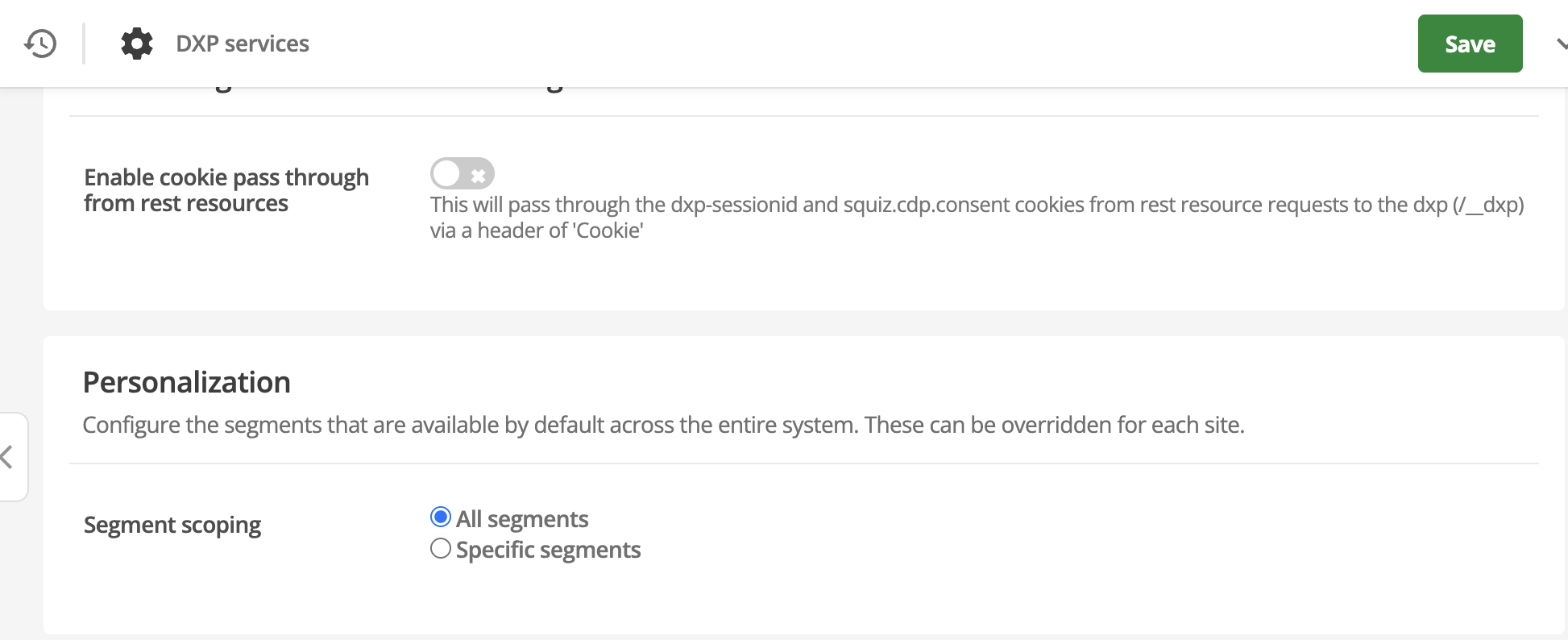
This option lets you use Segment Sets to restrict the individual segments that will appear in the Page Builder Personalization interface.
Segment Sets will not appear in the Page Builder user interface - only the individual segments within them will. -
Choose one of the following options:
- All segments
-
Allows global access to all segments created in the CDP. This is the default behavior.
- Specific segment set
-
Allows global access to one or more specific segment sets, for example, Fashion set or Tech set.
-
If you selected Specific segment set, use the selection field to add the required sets.
Once a set is selected, it is removed from the dropdown list to prevent re-selection.
-
Click Save.
Site-level segment scoping
Site-level settings override the global configuration for specific site assets.
-
Right-click a site asset and select DXP Settings.
-
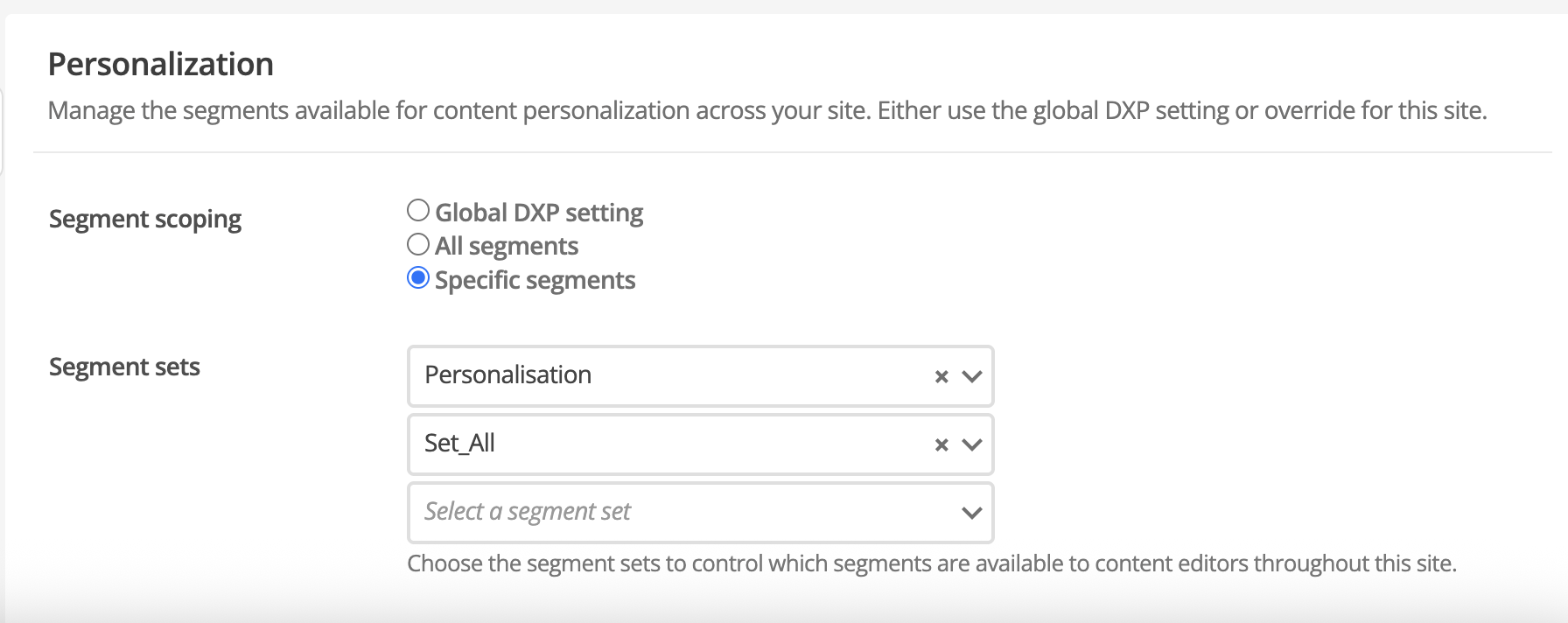
Locate the Personalization section, which contains the Segment Scoping setting.
-
Select one of the following options:
- Global DXP settings
-
Inherits the configuration set at the global DXP Services level.
- All segments
-
Overrides global settings to display all segments existing within the DXP organization for this specific site.
- Specific segments
-
Overrides global settings to select specific segment sets for this site.
-
If you selected Specific segments, use the selection field to add the required sets.
If no sets are assigned when Specific segments is selected, the personalization menu will not display any segments for content authors. This can be used to disable personalization for a specific site.
At the site level, you can select from the full list of all available segment sets, even if the global configuration is limited to specific sets.
-
Click Save.
Workflow example
To apply segment scoping to a site:
-
An administrator creates an Outdoor set in the CDP containing the Frequent Buyer and Outdoor Adventure segments.
-
In the Site-level DXP Settings for a National Parks site, the administrator selects Specific segments and adds the Outdoor set.
-
When a content author clicks the personalization icon on a page within that site, they only see the Frequent Buyer and Outdoor Adventure segments. The segment set name Outdoor set is never displayed to the author.