X (Twitter)
The X (Twitter) component connects with the X API v2. The component posts tweets and executes custom API requests to the X platform.
Credentials
To authenticate the component, create an app in the X Developer Portal. The component uses OAuth 1.0a for authentication.
The following credential fields are required:
- Consumer key
-
The Consumer API key from your X Developer App.
- Consumer secret
-
The Consumer API secret from your X Developer App.
- Access token key
-
The authentication access token from your X Developer App.
- Access token secret
-
The authentication access secret from your X Developer App.
Triggers
This component has no trigger functions. This means it can not be selected as the first component in an integration flow design.
Actions
This component has two actions.
Make raw request
Executes a custom request to the X API.
Input metadata
- URL
-
A required string field. The path of the resource (for example,
/2/users/me). - Method
-
A required string field. The HTTP verb to use (
GET,POST,PUT,PATCH,DELETE). - Request Body or Query
-
An optional object field. The body for
POST,PUT,PATCHmethods, or the query parameters forGETandDELETEmethods.
Output metadata
- headers
-
The HTTP headers of the response (required object).
- responseBody
-
The HTTP response body (optional object).
Usage examples
The following examples show how to get logged user information with creation date.
Using the URL field
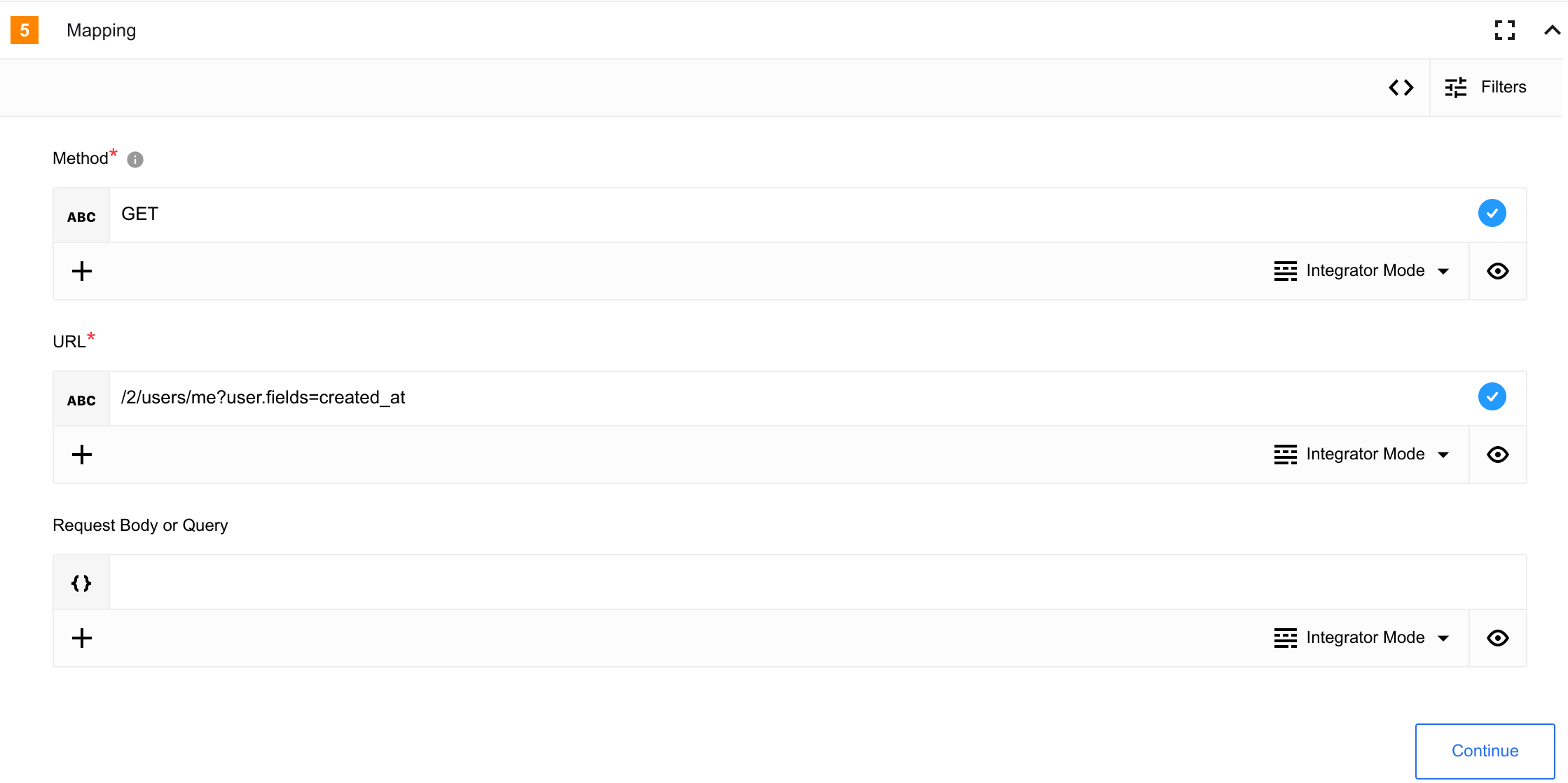
{
  "method": "GET",
  "url": "/2/users/me?user.fields=created_at"
}
Using the Request Body or Query field
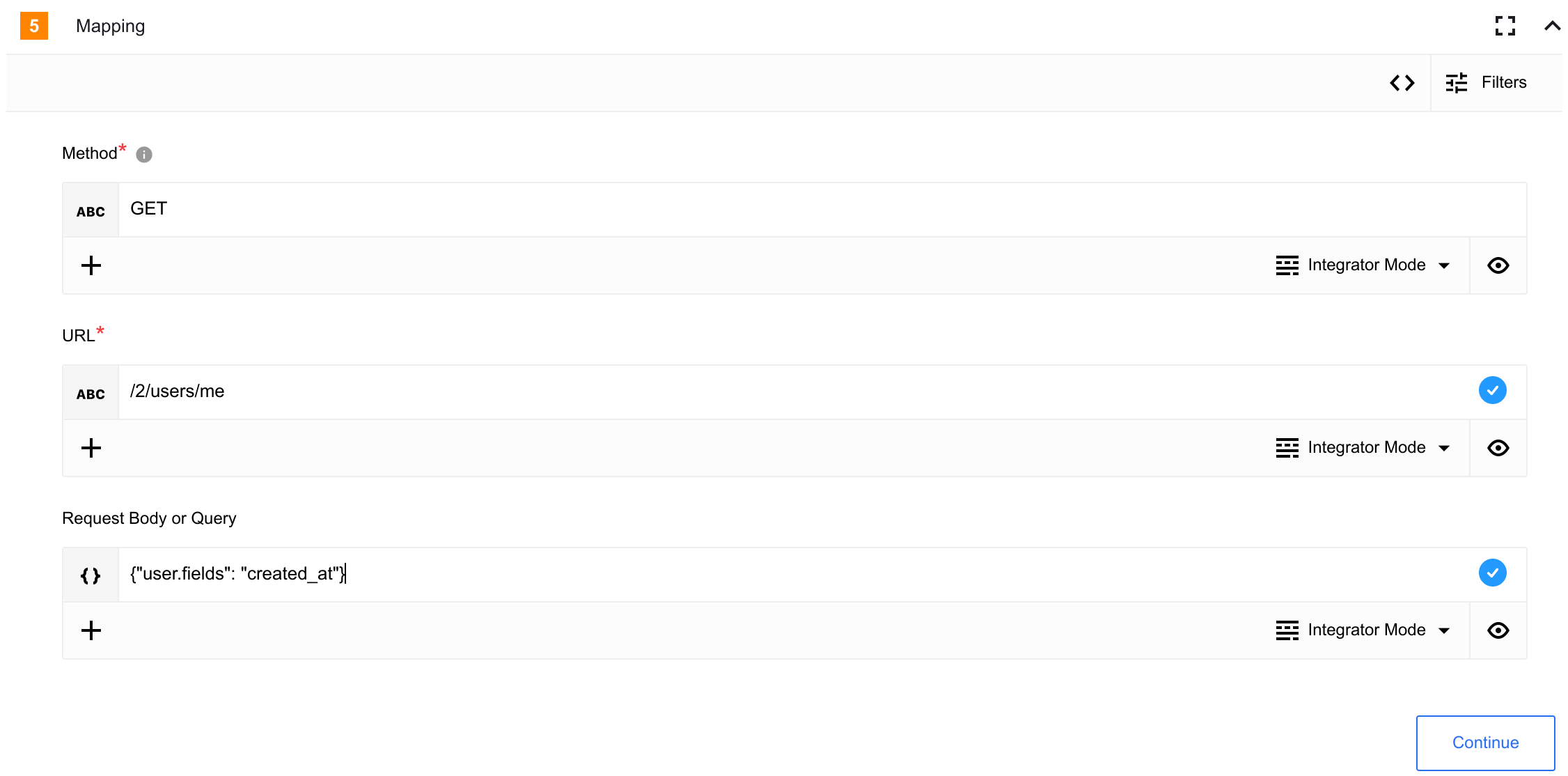
{
  "method": "GET",
  "url": "/2/users/me",
  "data": {
    "user.fields": "created_at"
  }
}
Known limitations
The X API has rate limits that apply to all requests.