OpenAPI
OpenAPI Specification (formerly Swagger Specification) is an application programming interface (API) description format for REST APIs.
Host OpenAPI (Swagger) documents online without authentication.
Enter the OpenAPI document URL in the component credentials.
Credentials
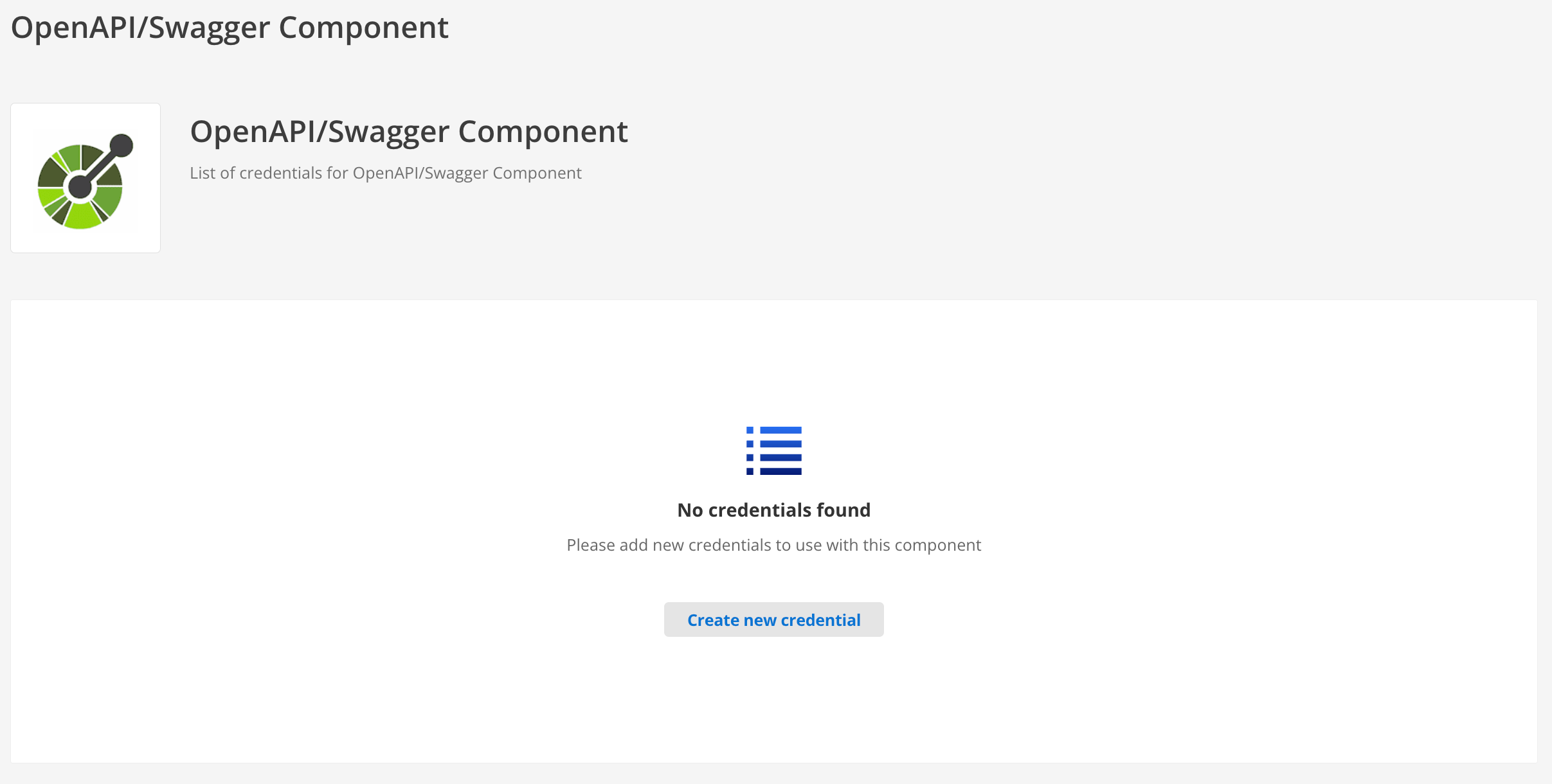
Type
Authentication type sets the schema for requests.
Supported authentication types are:
- No Auth
-
Make requests without authentication.
- Basic Auth
-
Enter the Username and Password.
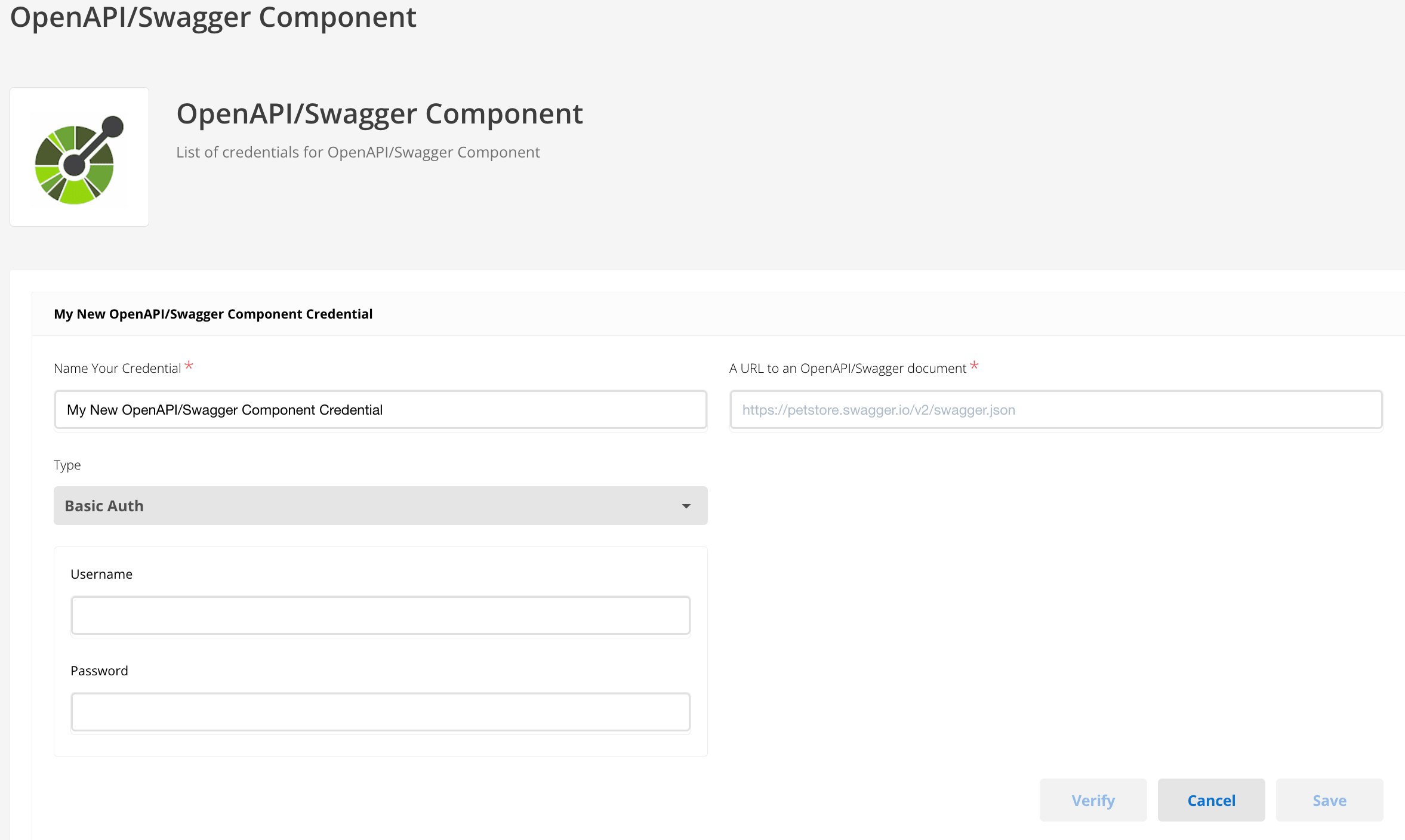 Figure 2. Basic authentication credentials
 - API Key Auth
-
Enter the Header Name and Header Value.
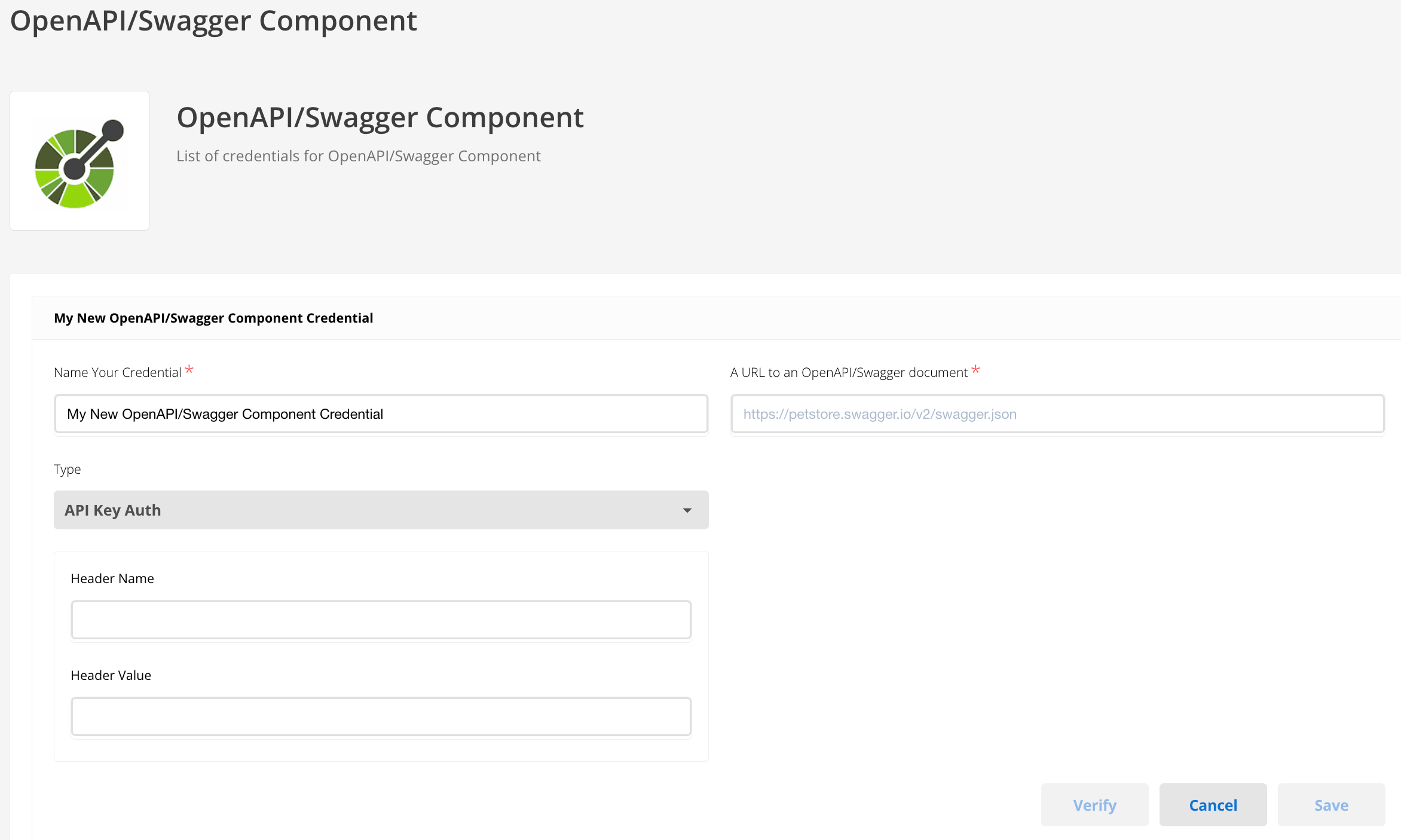 Figure 3. API key authentication credentials
 - OAuth2
-
Make requests with the Authorization code OAuth2 flow; specify Client Id, Client Secret, Auth URI, Token URI, and Scopes.
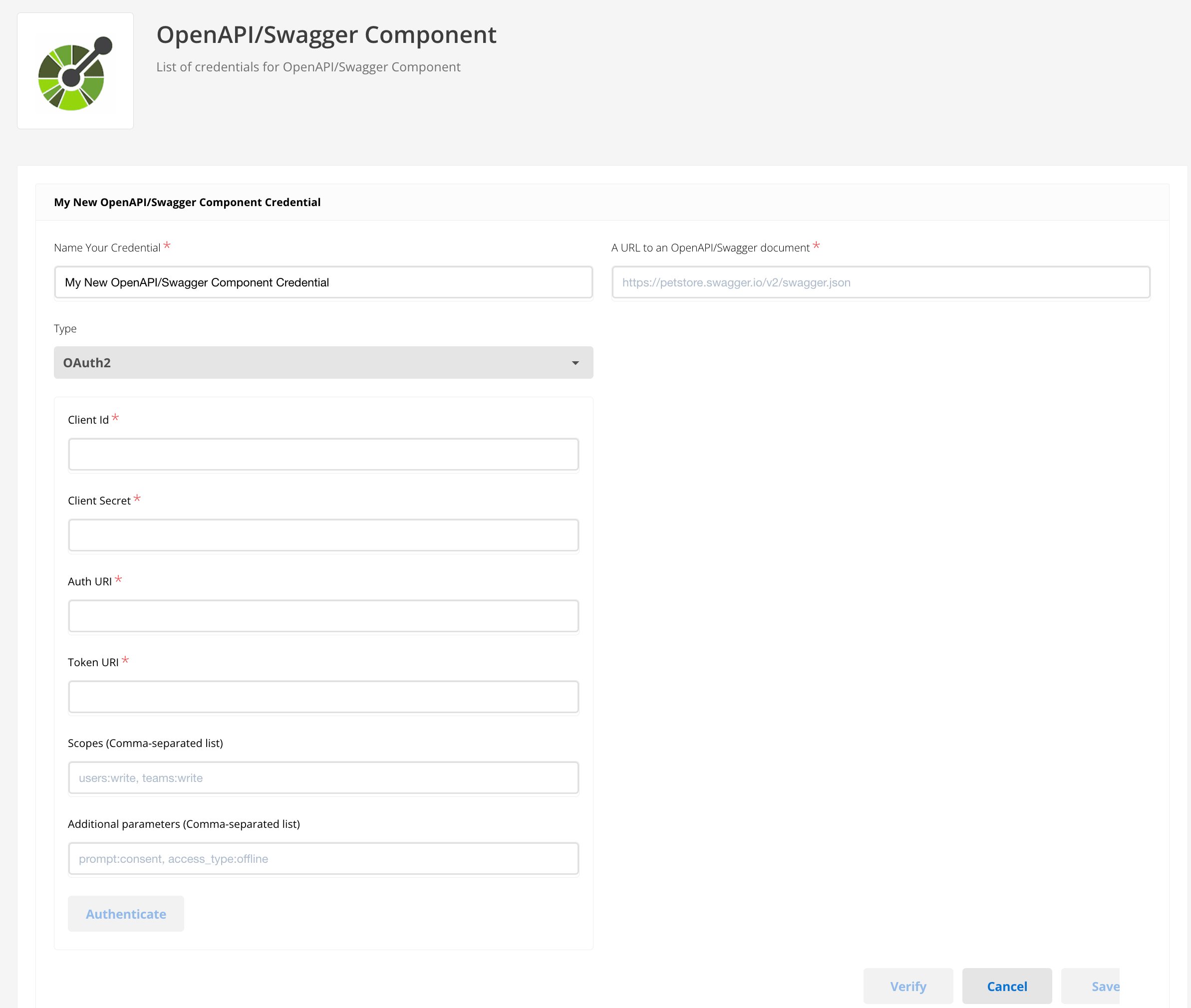 Figure 4. OAuth2 credentials
OpenAPI or Swagger document URL
Enter the URL for an OpenAPI or Swagger document that lists possible API calls.
For example: https://petstore.swagger.io/v2/swagger.json.
Triggers
This component has no trigger functions.
Do not use this as the first component in an integration flow.
Actions
Make request
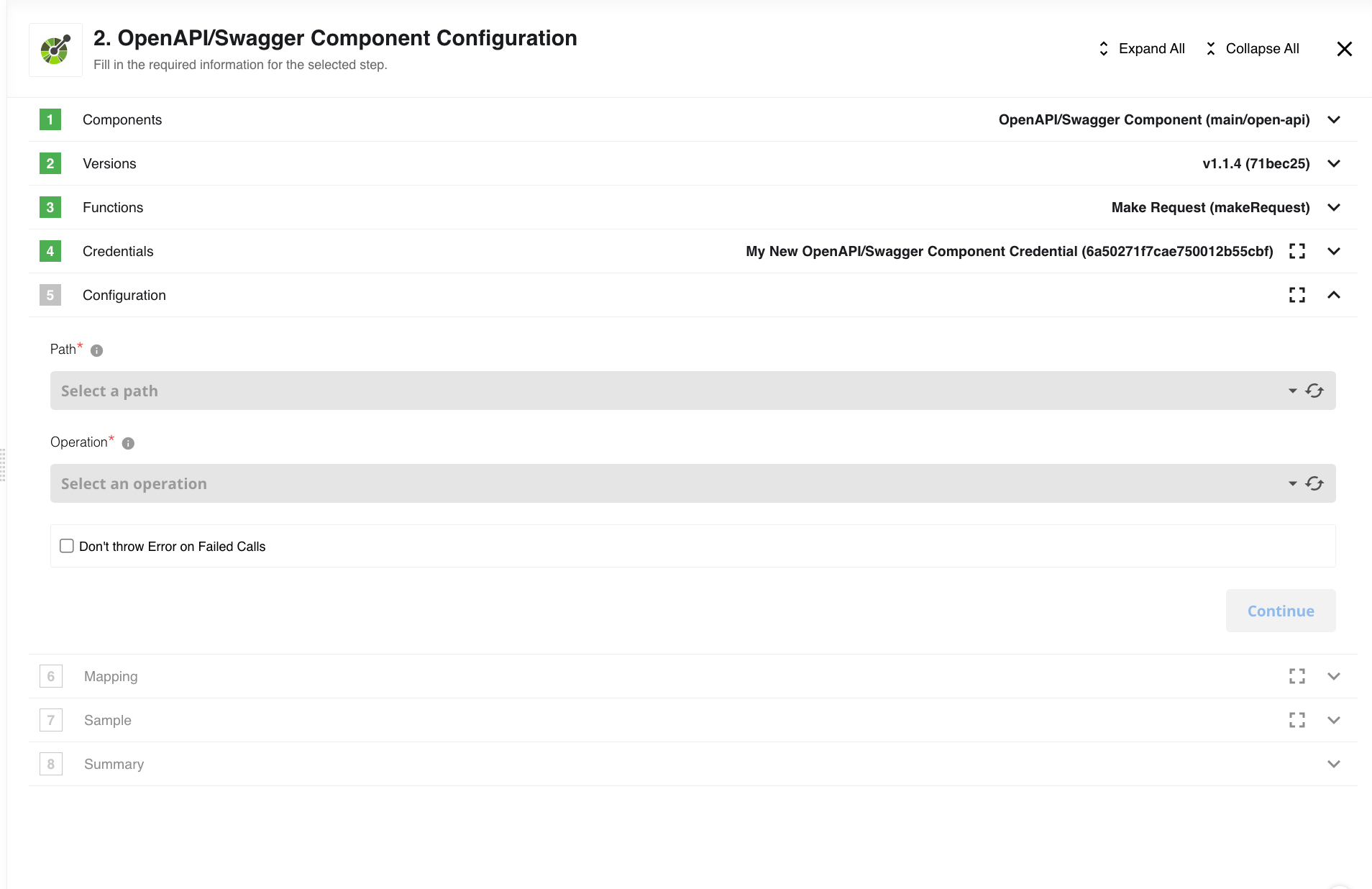
Configuration fields
- Path
-
Select from the available paths in the OpenAPI document.
- Operation
-
Select from the available options for the chosen path.
- Do not throw Error on Failed Calls
-
Control 4xx/5xx error behavior.
The 401HTTP status code is an exception. A 401 error always throws, regardless of settings.
Input metadata
Input metadata changes dynamically by selected operation parameters.
-
path parametersare individual fields. -
bodyparameters are user-configured objects.
For example, for the path /pet/{petId} and operation get, the input metadata is:
{
  "type": "object",
  "properties": {
    "petId": {
      "type": "integer",
      "required": true
    }
  }
}
Excerpt from the spec with this operation
{
  "paths": {
    "/pet/{petId}": {
      "get": {
        "tags": [
          "pet"
        ],
        "summary": "Find pet by ID",
        "description": "Returns a single pet",
        "operationId": "getPetById",
        "produces": [
          "application/json",
          "application/xml"
        ],
        "parameters": [
          {
            "name": "petId",
            "in": "path",
            "description": "ID of pet to return",
            "required": true,
            "type": "integer",
            "format": "int64"
          }
        ],
        "responses": {
          "200": {
            "description": "successful operation",
            "schema": {
              "$ref": "#/definitions/Pet"
            }
          },
          "400": {
            "description": "Invalid ID supplied"
          },
          "404": {
            "description": "Pet not found"
          }
        },
        "security": [
          {
            "api_key": []
          }
        ]
      }
    }
  }
}Known limitations
-
This component supports only OpenAPI v2.0. OpenAPI 3 is not supported.
-
Multiple hosts are not supported.
-
Each operation must have only one tag.
-
This component does not support authentication for OpenAPI (Swagger) file access.
-
OAuth2 cannot be used in real-time flows due to platform limits.