Monitor a topic area
Once AI Readiness has completed its audit of your website, you need to review the list of topic areas discovered and choose which ones you want to monitor.
Monitoring a topic area initiates a deep scan to evaluate how that content performs against a battery of questions generated by the AI against your content.
Instead of being overwhelmed by an audit of thousands of pages all at once, topics allow you to tackle content health challenges in one specific area at a time.
Once a topic is actively monitored, it is continually rescanned so you can continue to monitor a topic area for potential improvements and prioritize the highest-impact fixes so your content remains highly authoritative.
|
Only new pages or changes to existing pages that are associated with monitored topics are rechecked for AI readiness during a domain re-scan. |
During a domain re-scan:
-
Accessibility Auditor: Scans all page changes across the entry scope.
-
AI Readiness Auditor: Scans only page changes mapped to active monitored topics.
Steps
-
Click the Content Health tile on the Get started with Content Intelligence
-
Open the dashboard entry for your site.
-
Click AI Readiness to show the list of topics.
-
For the topic area you have chosen, click Monitor topic to begin the deep scan process.
-
Wait for the scan to complete. The topic tile will tell you when it has finished.
-
Once complete the topic tile changes to show the overall readiness of the topic with a rating and suggested issues to review.
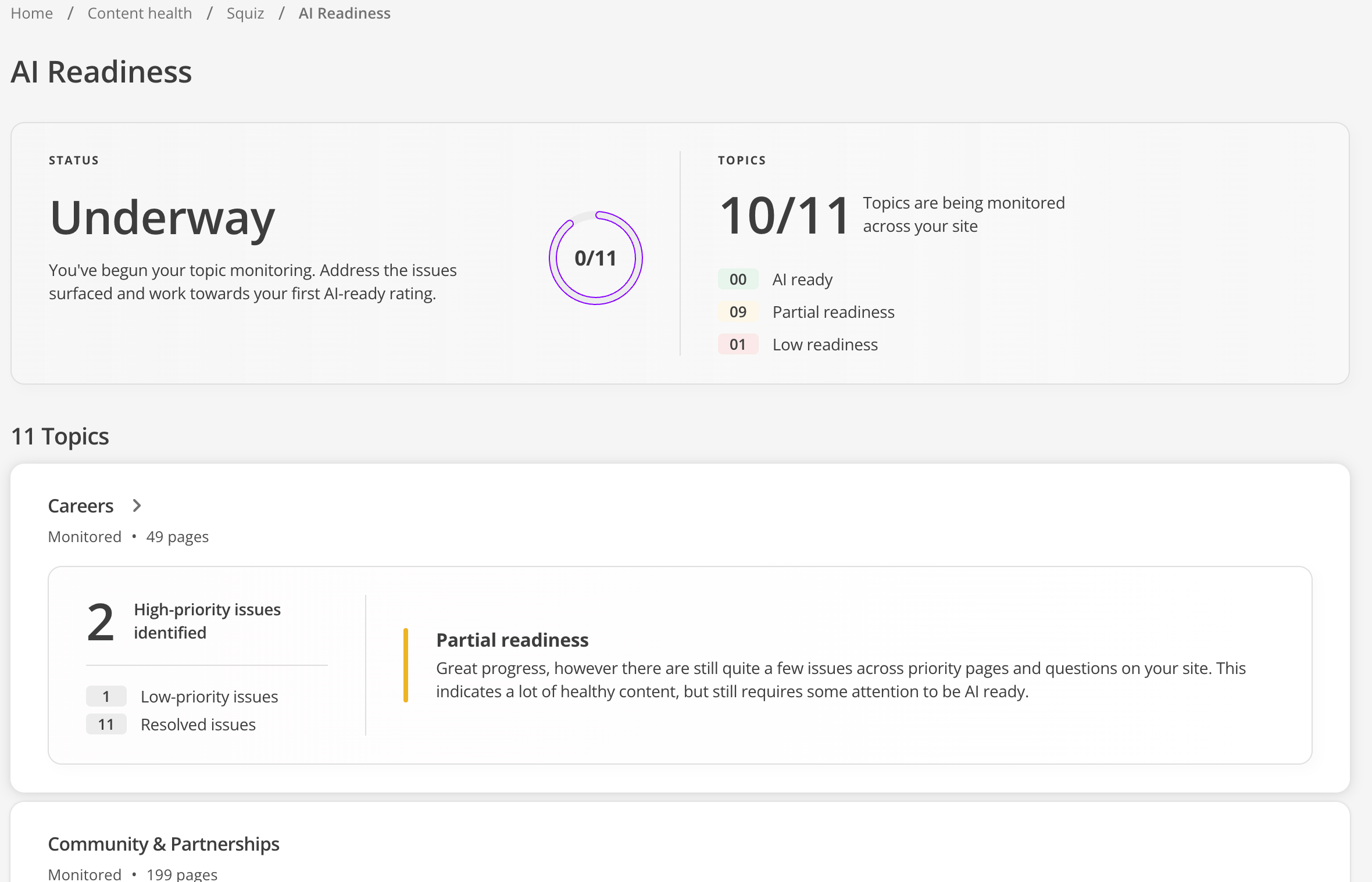 Figure 1. Topic showing overall readiness status
 -
Click the tile to open a detailed view of the Priority issues discovered.
Next steps
Work with your content team to address the Priority issues identified by the AI Readiness audit.
During the next scheduled scan, all new or changed in-scope pages are checked for accessibility. AI Readiness is reassessed only for new or changed pages associated with monitored topics. You can review the Content Health dashboard to check when the next scheduled scan will run.