All accessibility rules
All accessibility rule violations that apply to your site are shown in this interactive section.
Failed rules represent confirmed failures on your pages. Incomplete rules need further review by you to determine if they are true failures.
You can use the interactive filtering options on the page to only show the issues within failure categories that interest you.
| The Suggested fixes section takes a lot of the guesswork out of filtering the most impactful issues to resolve. |
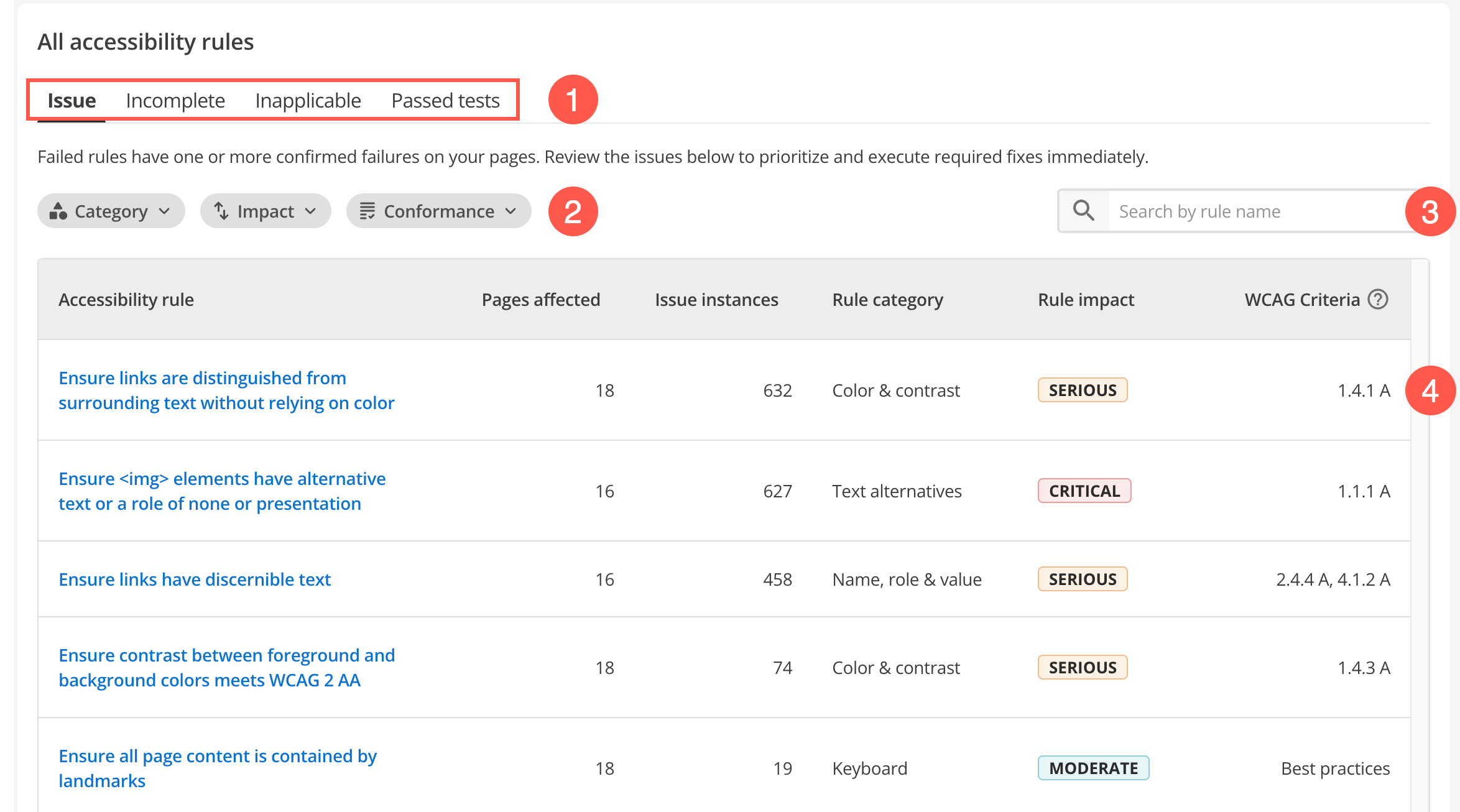
-
Select these quick issue filters to explore the category that interests you the most.
-
Use the advanced column filters to sort what you see in the rules report based on combinations of available rule categories, impacts, and conformance.
-
Start typing an accessibility rule keyword (such as "title") to show all rules that contain that keyword. This approach can be helpful when your results span several pages and you want to show rule themes that appear in your audit.
-
Review rule violations and fix issues using quick fix suggestions by clicking an accessibility rule row.