Extensions
The Extension UI provides a centralized interface for managing third-party integrations within the Squiz DXP Console. Administrators, owners, and developers secure and manage native ecosystem extensions from a single location through this interface. Historically, configuring these integrations required developer assistance and scattered storage of sensitive credentials. The Extension UI streamlines this process and improves visibility into active configurations.
Key features
The Extension UI includes several management capabilities:
- Centralized visibility
-
View and manage all active third-party integrations from Configuration.
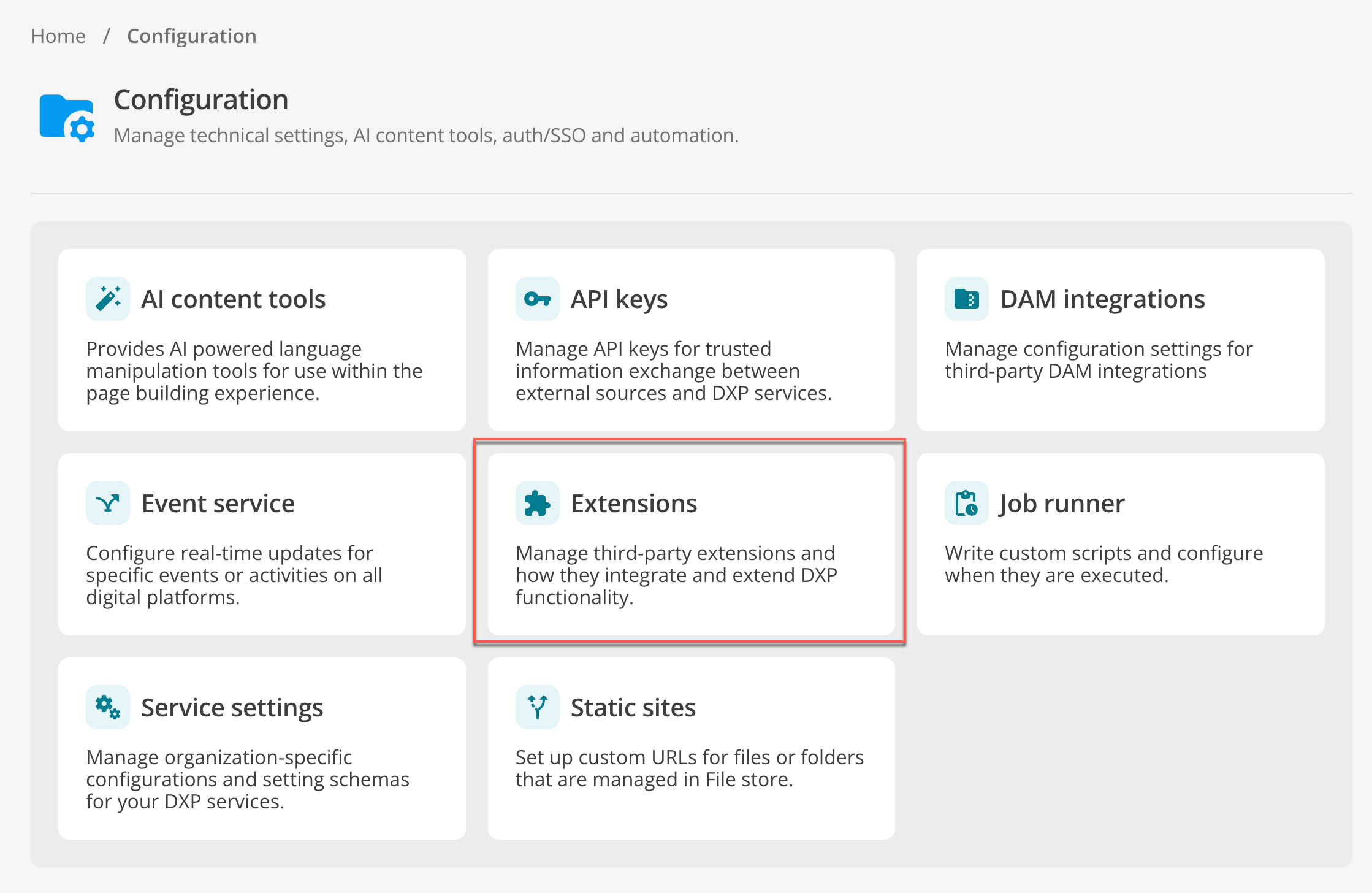 Figure 1. The Extensions tile within the Squiz DXP Console Configuration dashboard
 - Unified configuration
-
Create, update, view, and delete extension configurations using a consistent interface.
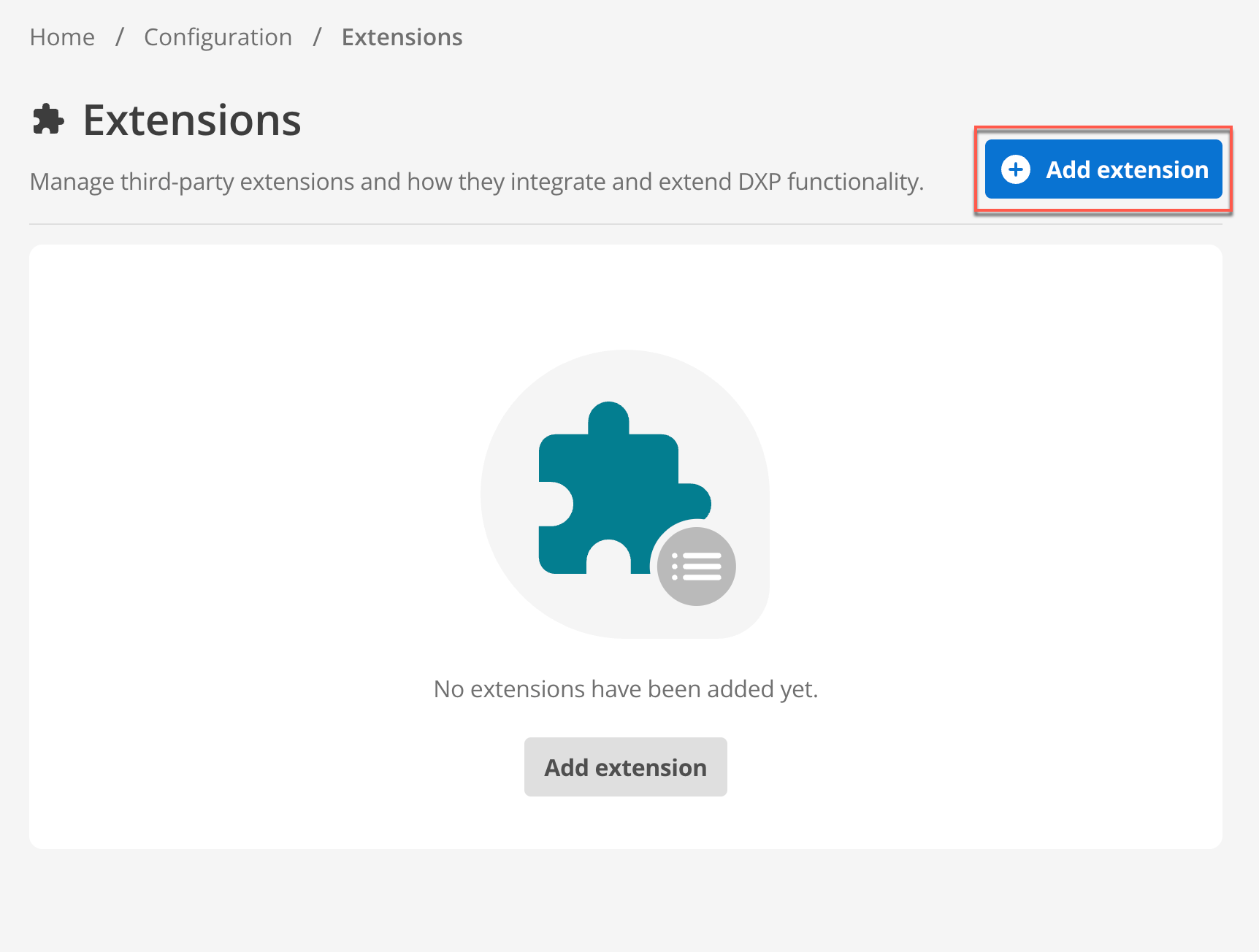 Figure 2. The Extensions landing page showing the 'Add extension' button
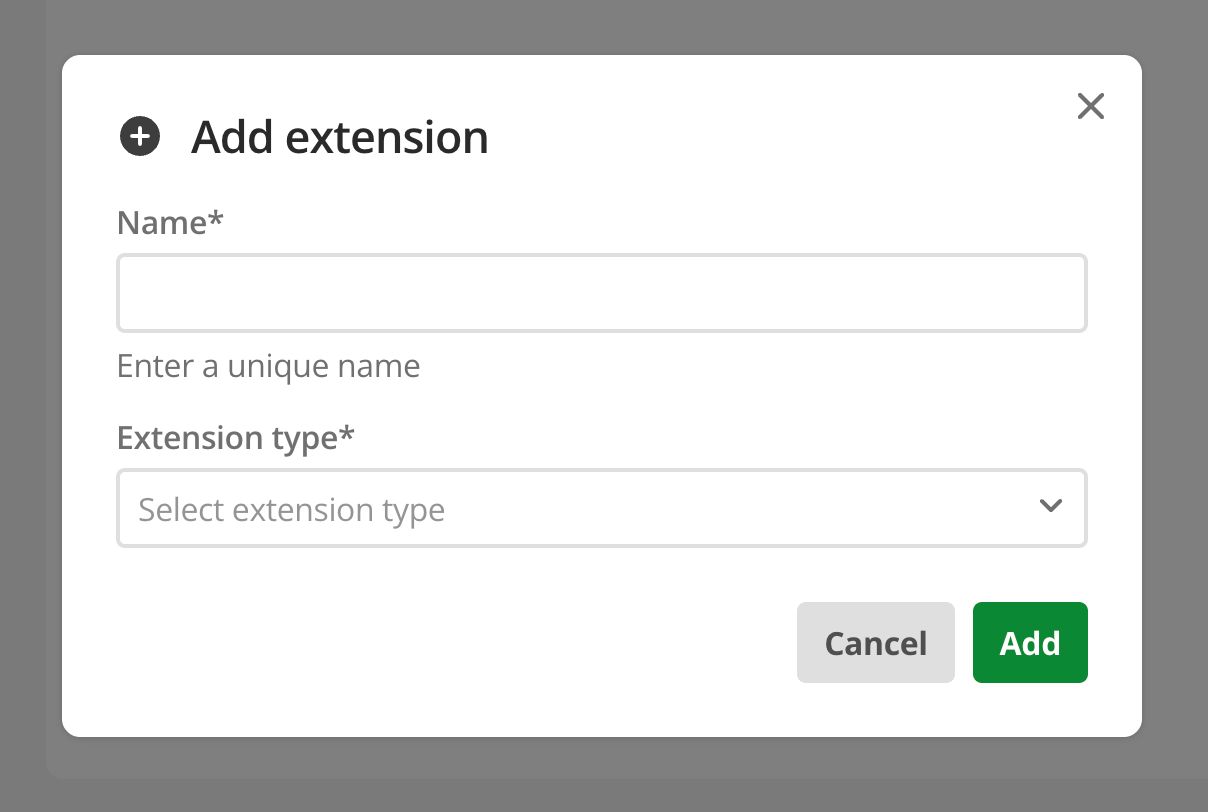 Figure 3. The Create an extension modal for selecting integration types
 - Dynamic fields
-
Access configuration fields that adapt automatically to each specific extension type.
- Standardized security
-
Use a single security model across all extension types to maintain consistency and reduce risk.
Security and architecture
The Extension UI incorporates multiple layers of security to protect sensitive customer data:
- Secure credential storage
-
Encrypt sensitive credentials, such as API keys and tokens, before storage. These credentials are not visible in the UI after they are saved.
- Automatic key rotation
-
Rotate encryption keys automatically to maintain high security standards.
- Per-tenant isolation
-
Manage settings, configurations, and secrets on a per-tenant basis to ensure data separation.
- Kill switch functionality
-
Disable an integration immediately using a tenant-level kill switch if a secret is compromised. This stops all access and prevents further risk to customer data.
Available extensions
The Extension supports a range of system integrations by securely storing connection details and enabling both DXP ecosystem applications and custom system configurations. Additional integrations are added periodically.
- Tealium CDP
-
The Tealium Customer Data Platform (CDP) is the pilot integration for the Extension UI. Configuring the Tealium CDP extension enables real-time personalization and data synchronization. Read the Tealium integration documentation for detailed setup instructions.
- Advanced Forms
-
The Advanced Forms extension allows you to centralize your form credentials for use across the DXP ecosystem, specifically for CDP Event Feeds and Destinations. Read the Advanced Forms extension documentation for detailed setup instructions.