Moving content blocks between layout zones
This section describes how to move content blocks between layout zones on a content page.
| The same process applies when using layouts on a content template. |
Prerequisites
-
You understand what layouts are and how to create them, as described in Layouts documentation.
-
You have at least one layout deployed to the DXP and available for use on your site.
-
You have added a layout to your content page
Steps
To move a content block (text, component, or layout) between locations, via the Page outline column:
-
Locate the content block or the layout you want to move.
-
Select the Options icon (…) and select Move.
-
The possible target locations are highlighted by pulsing their block add icons (+).
-
Click the required location and select Move here.
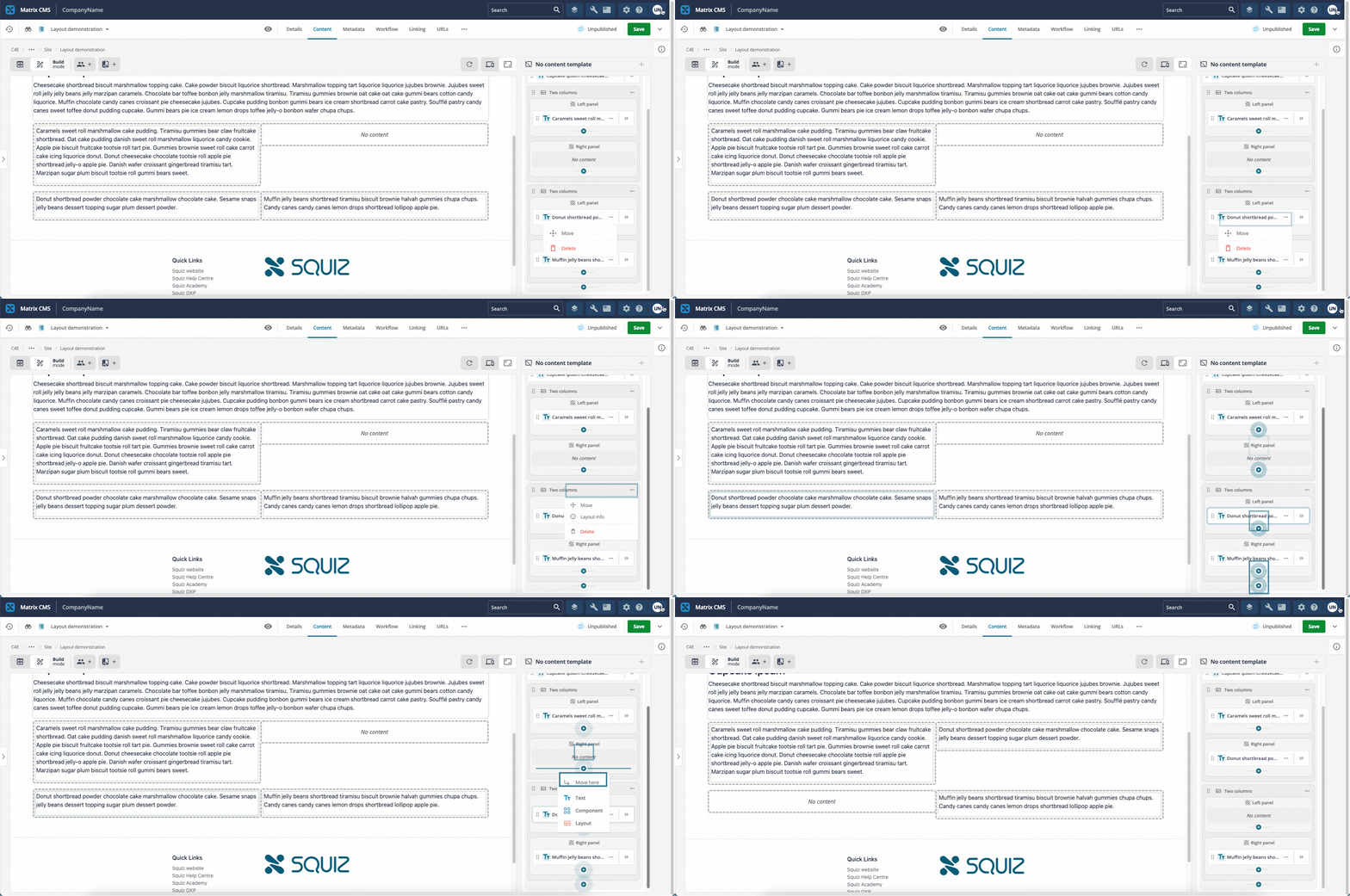
Figure 1. Move content blocks between layout zones.
| You are also able to move content blocks inline by hovering over the block in the Preview column, clicking the Options icon (…) and selecting Move. |