Starter content
Starter content provides guidance to page editors when populating content in page-managed zones.
Template authors can add starter content in the form of text blocks and components to page-managed zones on a content template. This might include examples, ideas, variations, or explicit instructions or recommendations for page editors to follow.
When a page editor applies the template to a content page, those blocks appear in the zone, distinguished by a blue notification in the Page outline column.
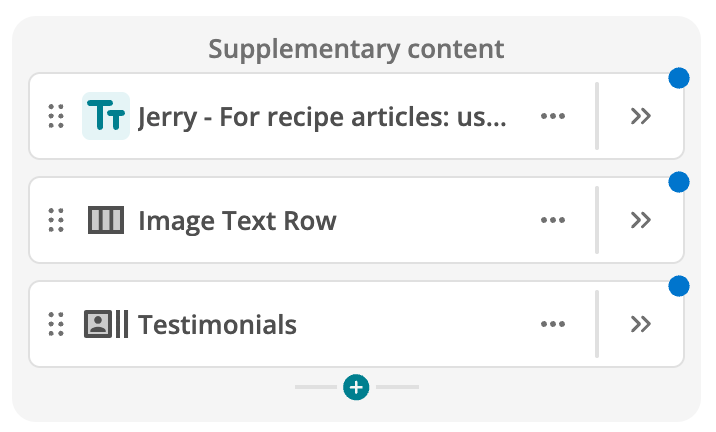
Page editors can choose to keep, edit, customize, relocate, or delete starter content blocks. Page editors can choose to keep, edit, customize, relocate, or delete starter content blocks.
When to use starter content
Use starter content when you want to:
-
Help page editors understand and visualize what belongs in a zone without restricting what they can add, remove, or rearrange.
-
Help page editors understand and visualize what belongs in a zone without restricting what they can add, remove, or rearrange.
-
Provide example copy or component arrangements.
-
Provide example copy or component arrangements.
-
Communicate recommendations or instructions for page editors through component or text fields.
-
Offer a helpful starting point that page editors can build on.
-
Offer a helpful starting point that page editors can build on.
|
Starter content is not template-managed content
Do not use starter content when you need template-managed structure that page editors cannot remove or rearrange. Use template-managed zones instead. |
Starter content feature restrictions
The following content restrictions apply:
- Layouts
-
Layouts cannot be added as starter content. Page editors can add layouts when the template is applied, if permitted by zone rules.
- Personalization
-
Personalization is not supported in starter content. Page editors can personalize content when the template is applied.
- Zone rules
-
Text and components must be allowed according to zone rules. If a block is not permitted, validation prevents saving the template.
Next steps
-
Adding starter content to a content template
Learn how to add starter text and component blocks to page-managed zones in Template Builder.
-
Using starter content on a content page
Learn how and when starter content appears on a content page and what page editors can do with it.