Preview a component in the Component Service
A deployed component can be previewed in the Component Service similarly to doing so in the local development environment.
To preview a component in the Component Service
-
Load the Squiz DXP URL — https://dxp.squiz.cloud — in a web browser.
-
Login using the credentials for your DXP instance.
-
Click the Component Service button in the DXP dashboard.
-
Click the All components option in the navigation panel.
-
Locate the deployed component in the component cards list.
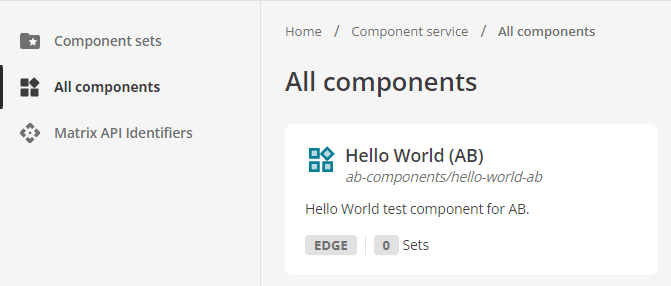 Figure 1. The Hello World AB component on the All components page.
Components are listed on the All components page from oldest to newest.
The newly-deployed component will be towards the bottom of the list.
If your Component Service has many components, you may have to scroll to find your component.
There is also a Load more button to load additional pages of components.
-
Click the component on the All components page.
A preview of the component loads.
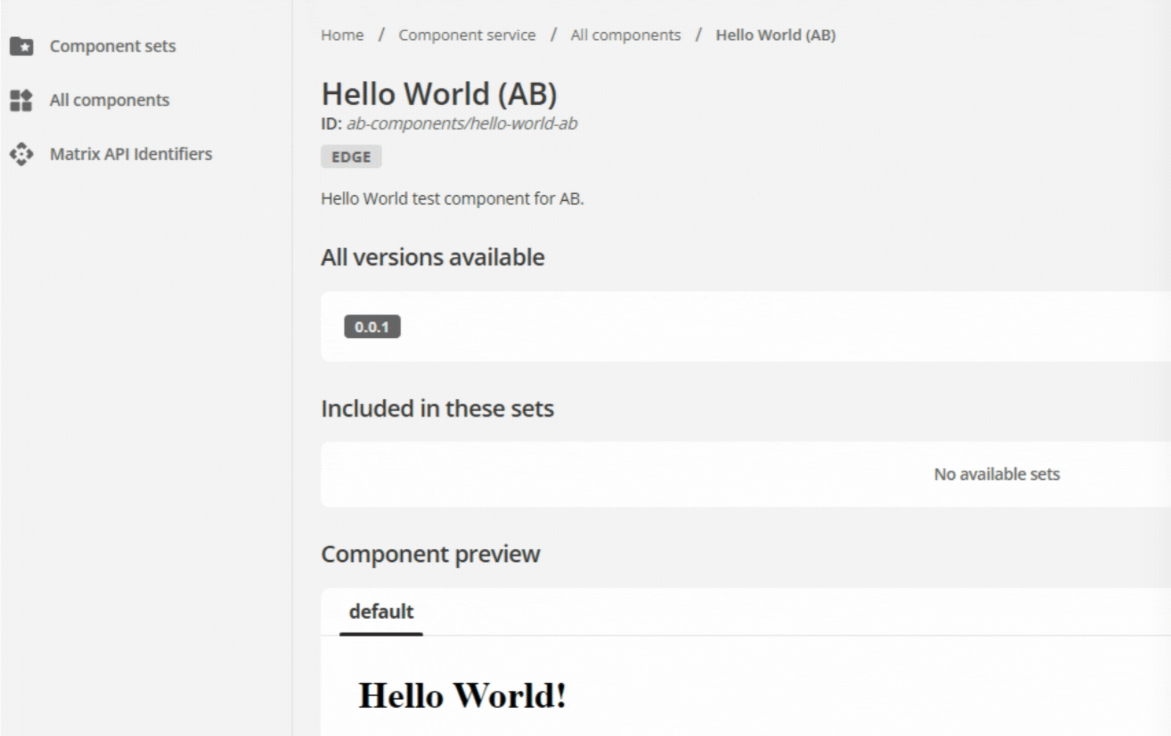 Figure 2. The Hello World component preview in the Component Service
The component preview uses the input provided in the preview configuration of
manifest.json.If multiple component versions are available, a specific version can be selected for preview.
Next Step: Managing component sets.