Connect the Component Service and the Squiz Content Management system
The Component Service and Squiz Content Management are independent parts of the Squiz DXP.
This step sets up the configuration to allow communication paths between the two parts.
Part of the configuration is done in the Squiz Content Management system, and part is done in the Component Service.
|
For every procedure in this step, it is assumed you
|
Create a Content API token
The Content API token is created in Squiz Content Management.
|
This procedure is only concerned with creating a Content API token. For more information about Content API tokens see the Manage content API tokens documentation. |
To create a Content API token
-
Locate and right-click the Content API Manager in the Matrix asset tree.
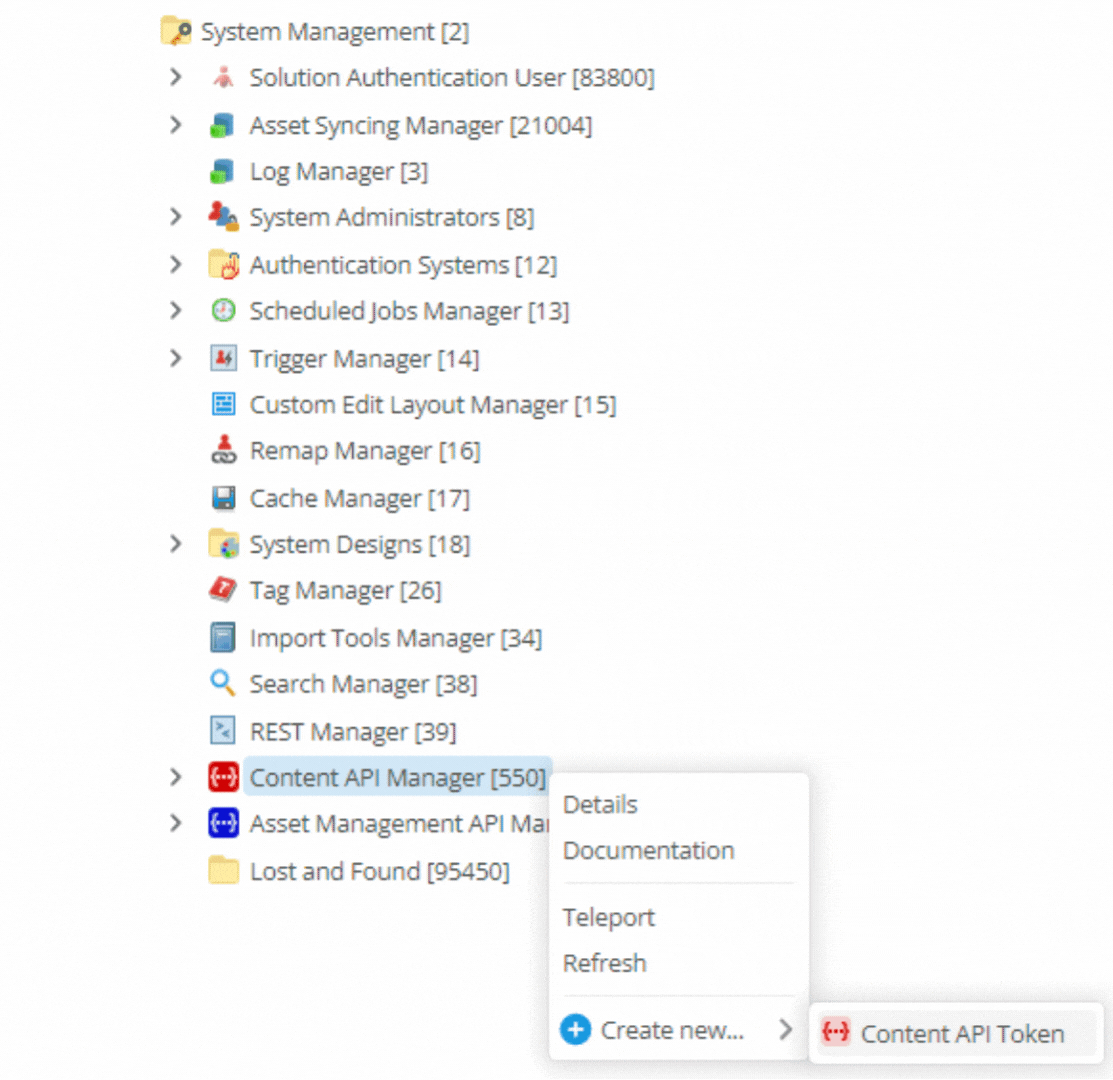 Figure 1. Contextual menu for Content API Manager showing the Create new… sub-menu.
A Create new Content API Token dialog loads.
-
Enter AB token in the Name field.
Replace AB with your initials.
-
Click the Create button.
An Asset created successfully dialog loads.
-
Click the Edit button.
The Content API Token details screen loads.
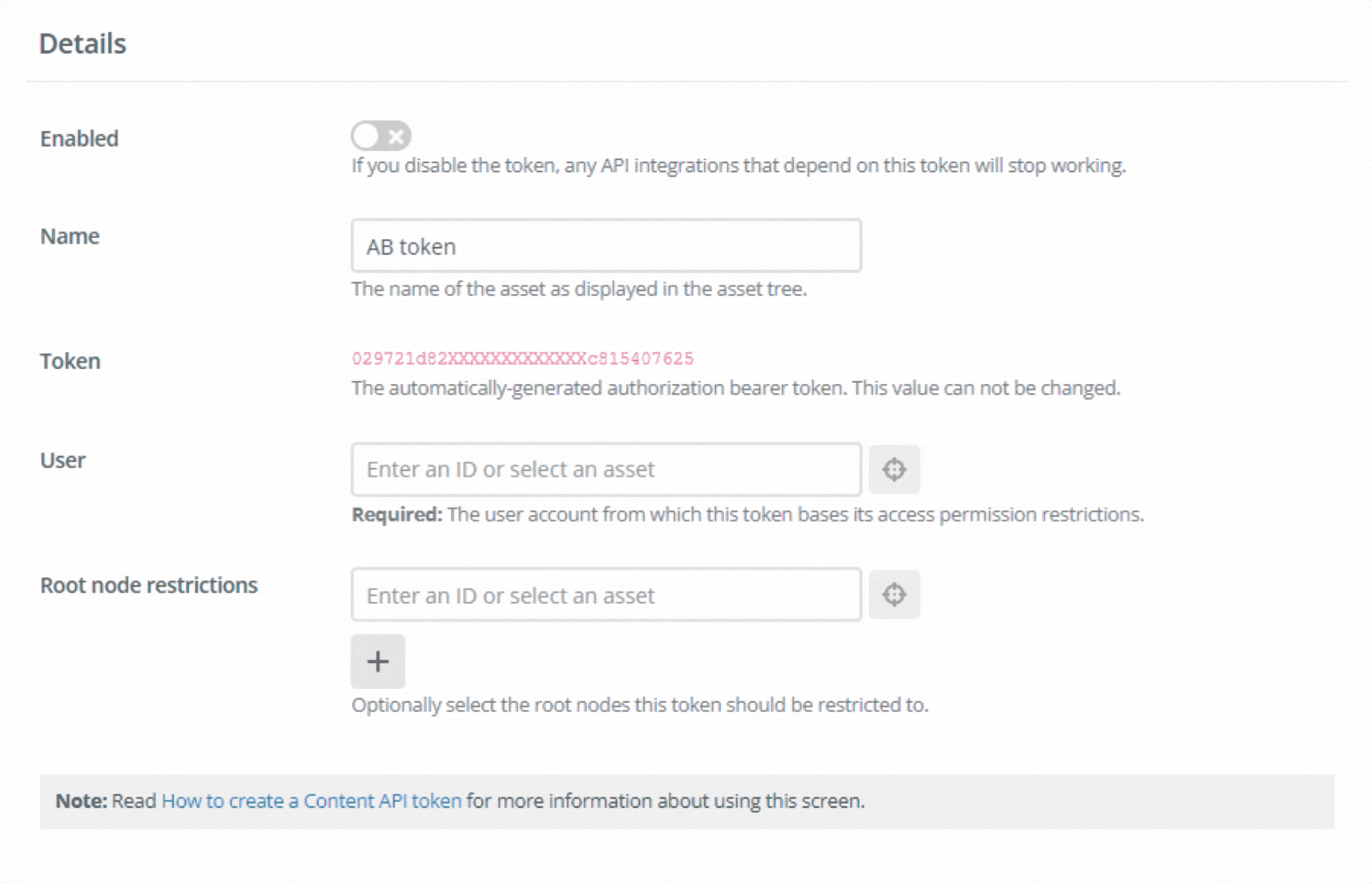 Figure 2. Content API token edit screen.
 -
Select your user account in the User field.
This sets the user permissions that calls using this token will have.
-
Select your web site asset in the Root node restrictions field.
This grants explicit access through the API to this root node.
-
Set Enabled to on.
-
Click the Save button.
-
Copy the value in the Token field and save the value to a local text file.
This value is required in the next procedure.
Create a Matrix API identifier
The Matrix API identifier is created in the Component Service.
|
This procedure is only concerned with creating a Matrix API identifier. For more information about Matrix API identifiers see the Set up Squiz Content Management Service API Identifiers in the DXP Console documentation. |
To create a Matrix API identifier
-
Click the Matrix API identifiers option in the navigation panel.
-
Click the Add Matrix API Identifier button.
The Add Matrix API Identifier dialog loads.
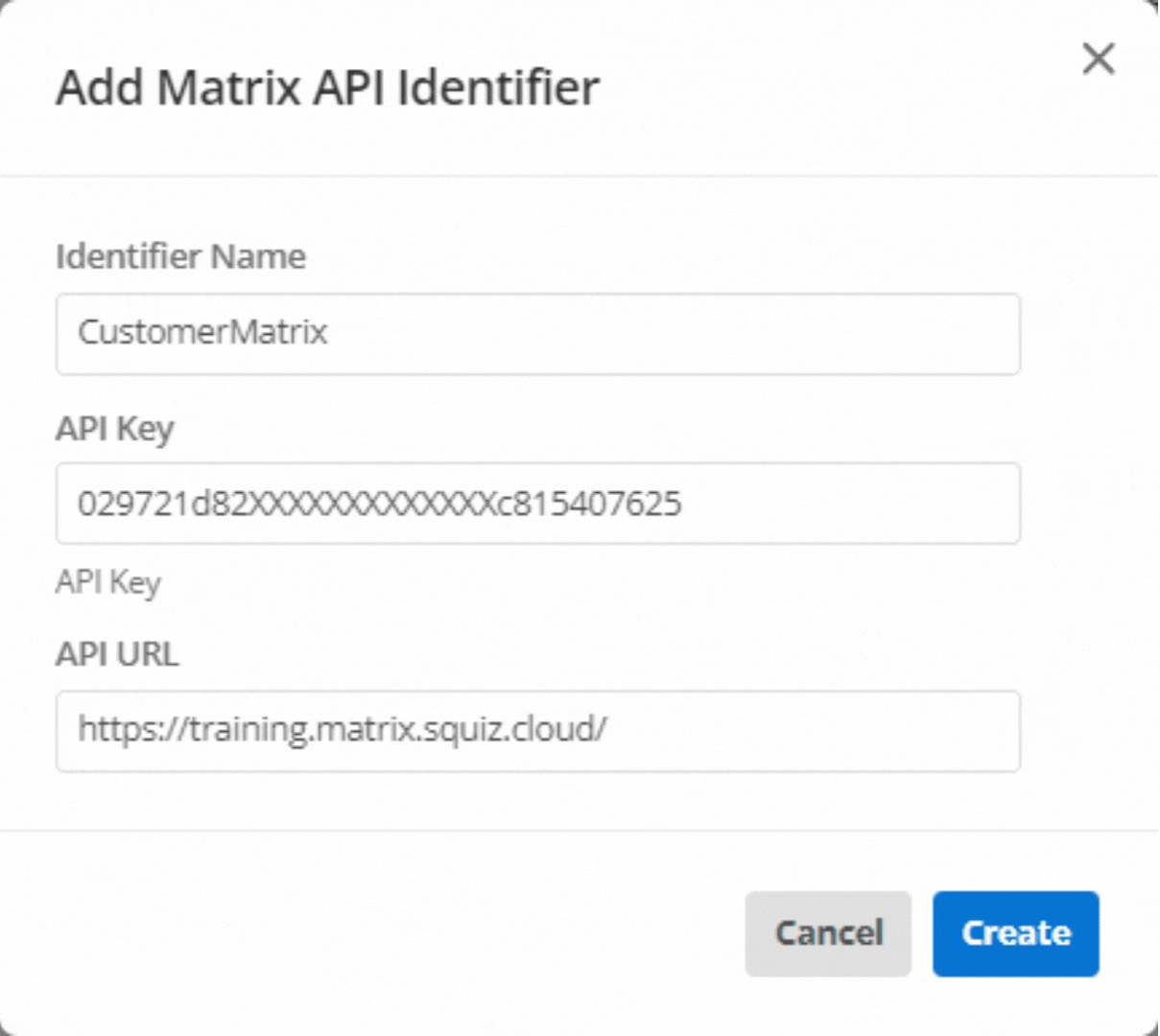 Figure 3. The Add Matrix API Identifier dialog
 -
Enter a name for this identifier in the Identifier Name field.
Alphanumeric characters as well as underscores and hyphens are allowed in this field.
Spaces are not allowed.
-
Paste the token value created and copied in the previous procedure into the API Key field.
-
Enter the URL for your Squiz Content Management instance in the API URL field.
-
Click the Create button.
-
Copy the Identifier Name value and save the value to a local text file.
This value is required in the next step, Add a component set to Squiz Content Management.
Next Step: Add a component set to Squiz Content Management.