Test a component locally
To test a component locally run the development server installed when the DXP CLI was installed.
The local development server allows testing and previewing of components locally.
Start the development server
To start the development server user interface:
-
Launch or switch to your development system’s command shell.
-
Make the previously created components directory the present working directory.
That is, the output of following command —
ls— should be
hello-world-ab -
Run the following command
dxp-next cmp dev-ui hello-world-abWhen the development server starts, it returns a message equivalent to the following to STD OUT:
.../node/v22.22.0/lib/node_modules/@squiz/dxp-cli-next/node_modules/@squiz/local-component-dev-ui/lib/server
YYYY-MM-DDTHH:MM:SS.DDDZ info: Edge Component development webserver started on port http://localhost:5555
YYYY-MM-DDTHH:MM:SS.DDD3Z info: UI started on port http://localhost:3000
Connect to the local development server
The development server provides a URL for loading in a browser window.
The development server URL is http://localhost:3000.
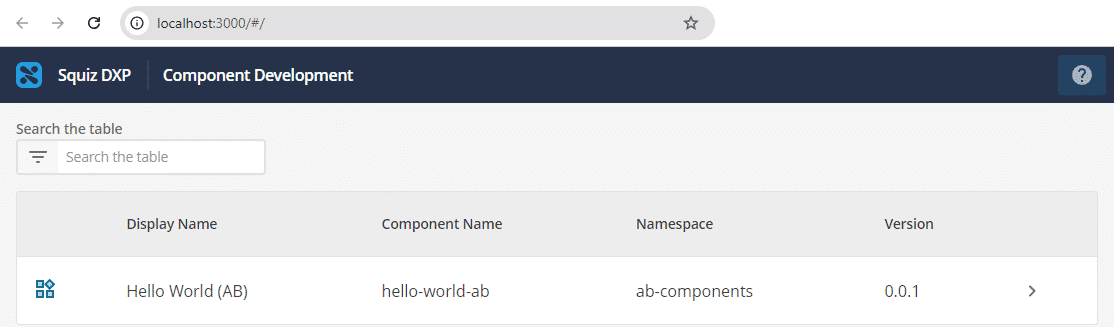
When loaded, the development server presents a list of locally-available components.
Preview the component
To preview the component, click > on the Hello World listing in the Component Development table.
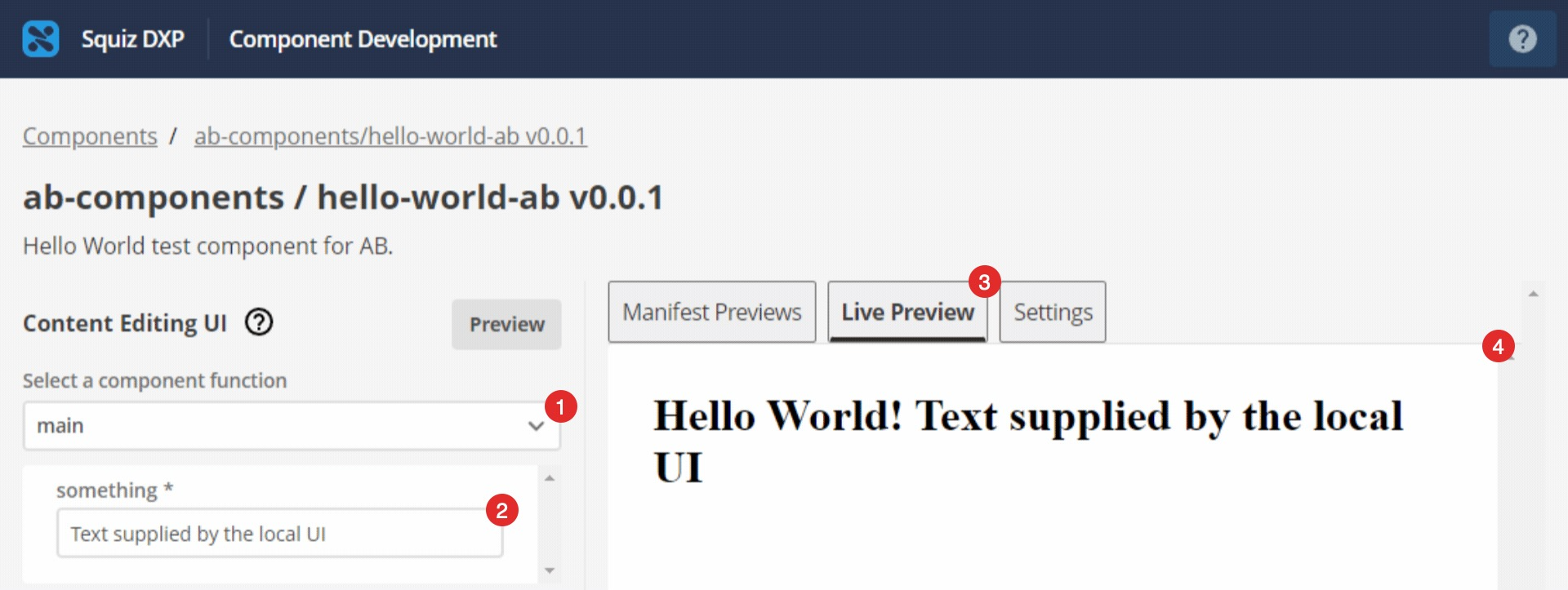
The component preview loads.
-
Pop-up menu for selecting a component’s functions for preview.
-
Text entered in the local UI.
In this case the entered text supplies the function’s defined string,something, with a value. -
The Live Preview button.
Click this to update the component preview. For example, after entering text that supplies a function string with a value. -
The component preview.
This preview includes the component function’s output: the text entered in the local UI text field.
Next step
Read Deploy a component to the Squiz DXP to learn