Add a component set to Squiz Content Management
To make components available to site editors, the component set the components are in must be added to a site asset in the Squiz Content Management system.
To add a component set to a site asset:
-
Locate and right-click the site asset in the Matrix asset tree.
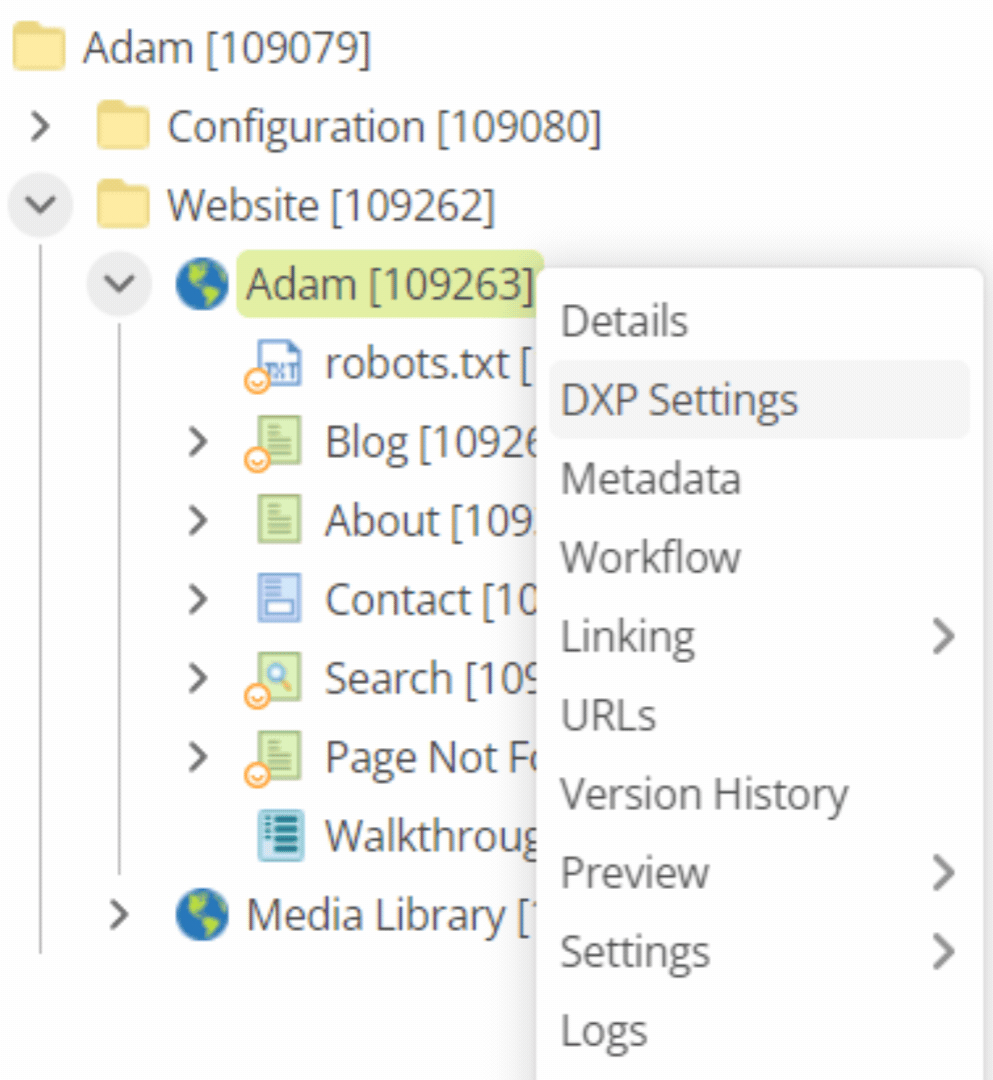 Figure 1. Contextual menu for a site asset in the Matrix asset tree
 -
Select DXP Settings from the contextual menu.
The DXP Settings dialog for the asset loads.
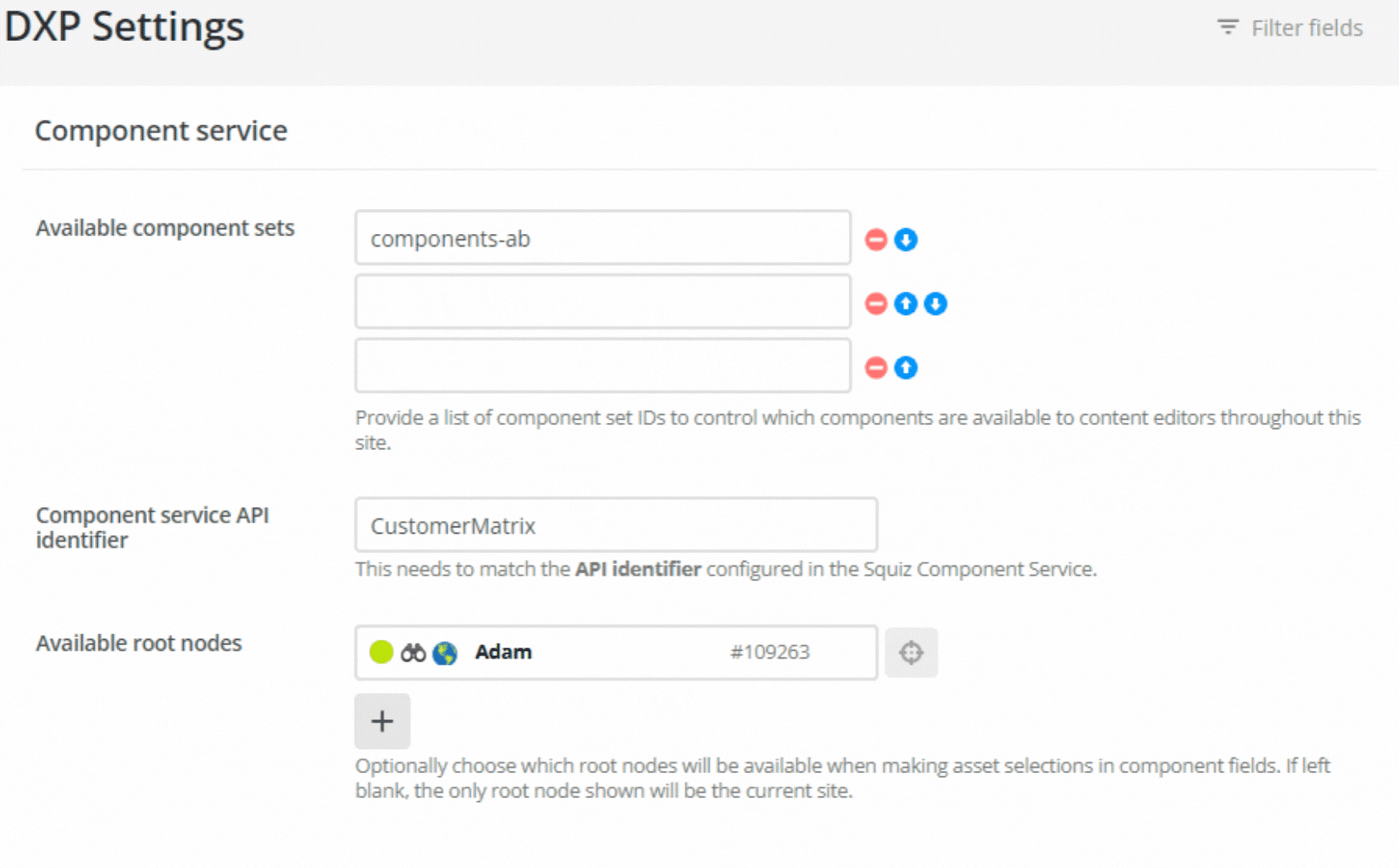 Figure 2. The DXP Settings dialog for a site asset.
 -
In the Component service API identifier field, enter the API ID created in the previous step, Connect the Component Service and the Squiz Content Management system.
-
In the Available root nodes field, select your site asset.
This makes the component available to page assets under the site asset.
You can add multiple root nodes.
|
To make a component set available to all websites in your Content Management System, you can instead set this globally, in . The component set ID can be added to the Globally available component sets field, which are available across the entire system. Any component set configured at the website level will be added to this list. See the Component sets documentation for more detail. |
Next Step: Add a component to a page