About the Segmentation UI
The Segmentation interface in Squiz CDP contains two main tabs: Segments and Segment sets. Use these tabs to manage customer segments and organize them into logical groups.
To access the Segmentation UI, navigate to in the Squiz DXP Console.
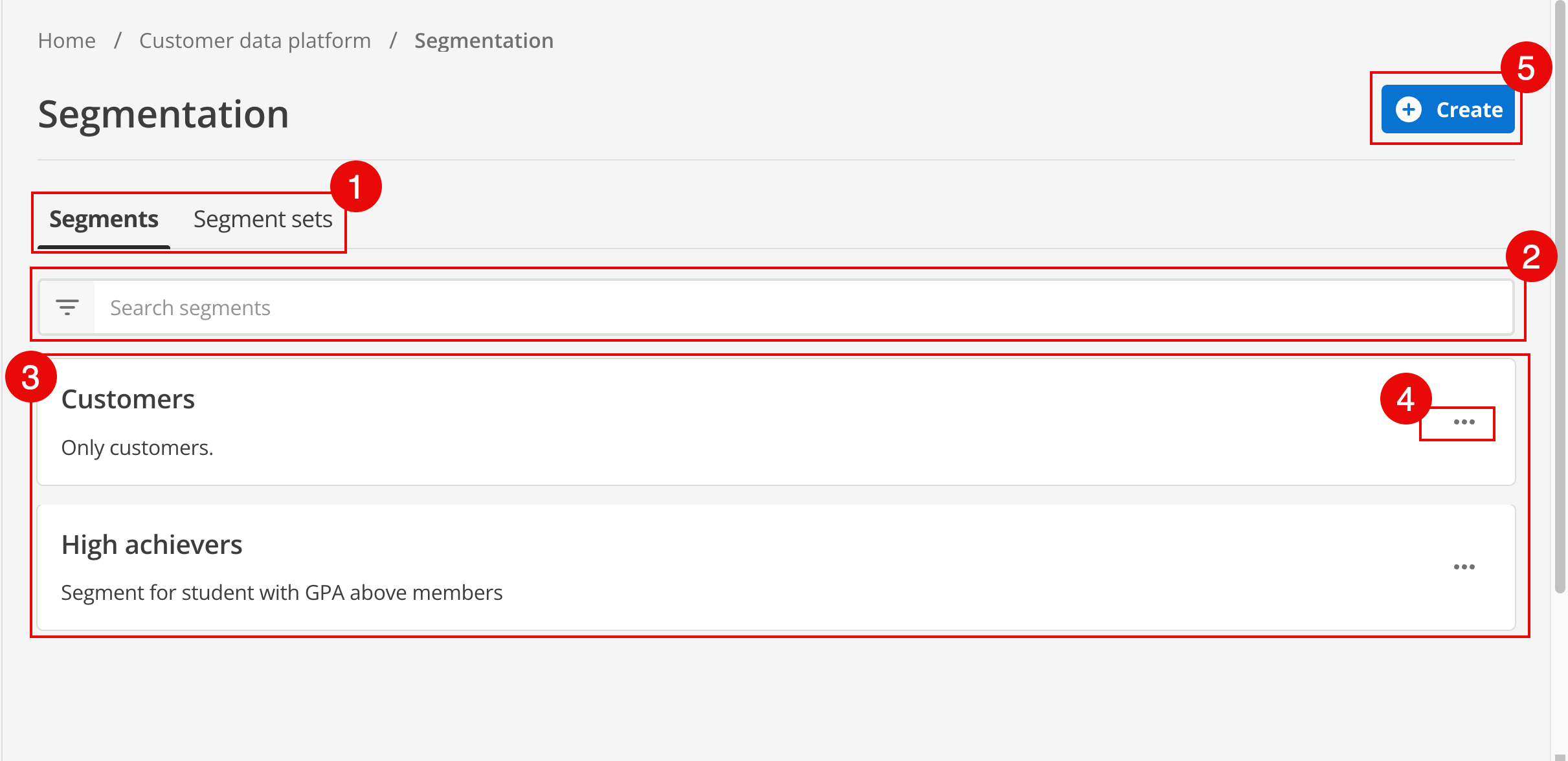
-
The Segments and Segment sets tabs: Switch between managing individual segments and Segment sets.
-
Search: Locate segments or sets by name or description.
-
List view: View a filtered list of segments or sets. This area displays Segment sets when the Segment sets tab is active.
-
The More (…) menu: Perform management tasks for a selected entry. Use this menu to view details, edit success metrics, or delete an item. For more information, read the Manage segments page.
Segments tab
The Segments tab is used to manage customer segments and quickly set up common mutually exclusive groups and their required event feeds. It displays a list of all segments created within your organization.
Segment list
The list provides a high-level view of each segment, including these details:
- Name
-
The descriptive name assigned to the segment.
- Description
-
A brief explanation of the segment’s purpose or audience.
- Type
-
Whether the segment is a single segment or part of an exclusive group.
- Created date
-
When the segment was first established.
Search and filters
To quickly locate specific segments within a large list, use the search bar and filter options.
- Search
-
Enter keywords to find segments by name or description.
- Filters
-
Narrow down the list based on segment type, status, or other criteria.
Segment actions
Each segment in the list has an associated menu (…) for management tasks. This menu includes options to view details, edit configuration, or delete the segment.
For more information, see Manage segments.
Segment sets tab
The Segment sets tab provides tools to organize segments into categories or groups. Categorization helps manage large numbers of segments or scope segments to specific sites or campaigns.
Segment set list
This tab displays a list of all existing segment sets. Each entry shows the name and description of the set.
Managing sets
The Segment sets tab enables these management activities:
- Create new sets
-
Use the Create button to define a new segment set.
- Organize segments
-
Add individual segments to one or more sets to categorize them.
- Edit or delete sets
-
Manage the properties and lifecycle of your segment sets.
For a detailed guide on using segment sets, see Segment sets.