When Spark finishes, it shows the Page Completed screen. Use this screen to open the new page and to read what Spark adjusted while building it.
Before you start
- You have started a page build, and it has finished.
Steps
- On the Page Completed screen, select the card with the name of your new page.
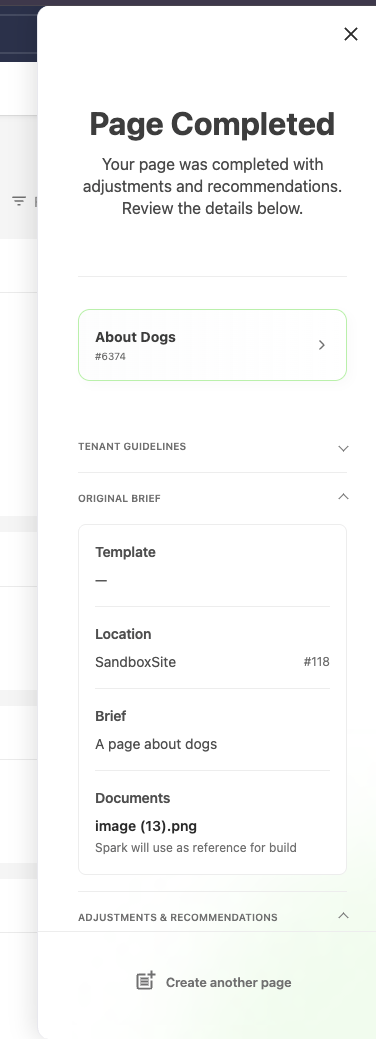 Figure 1. The Page Completed screen.
The card shows the page name and asset ID. Spark opens the new page in Squiz Content Management.
- Expand Adjustments & recommendations to read the notes from Spark.
 Figure 2. Adjustments and recommendations from Spark.
These notes explain choices Spark made and things you need to check. For example, a note can tell you that your reference file did not match the topic of your brief, or which layout Spark used because no template was selected.
- Expand Original brief to check the template, location, brief, and documents that Spark used.
- Open the page in the Live Content Editor and check the page.
Review the following:
- The text matches your brief and your source material.
- Images are correct, and placeholders are replaced.
- The layout and components suit the purpose of the page.
- Links and calls to action go where you expect.
- Change the page as needed.
You can edit text, replace images, and add, remove, or reorder components in the same way as on any other page.
- Make the page available to your visitors when you are satisfied with it.
Spark creates the page with the Under Construction status, so visitors cannot see it yet. Change the status of the page in Squiz Content Management in the same way as for any other page, for example to Live. Your usual approval workflow applies.
Tenant guidelines
If your administrator set page creation guidelines, the Tenant guidelines section shows them. Select Show more to read the full text.
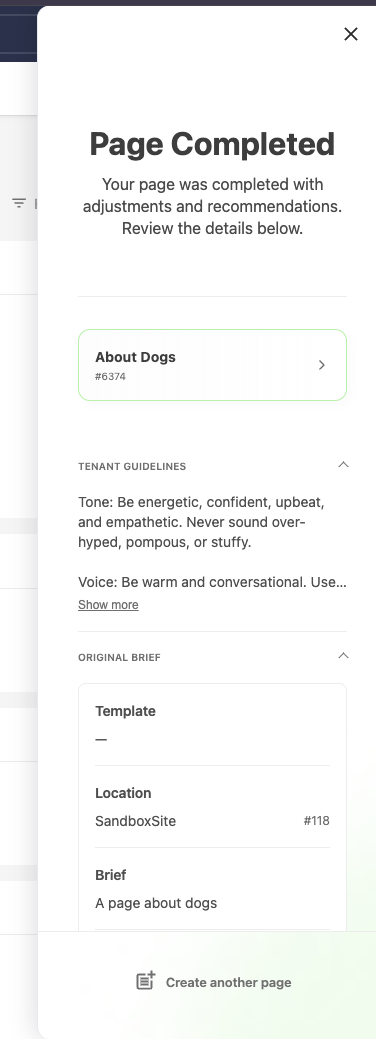
Create another page
Select Create another page at the bottom of the panel to return to the start of the wizard.
Reopen a finished build
If you close the panel while Spark builds a page, reopen it to see the progress. When the build is complete, Spark shows the Page Completed screen again.