You can view a list of where Spark credits are being consumed from the Billing & usage page.
- Sign in to Squiz DXP.
- Select the Spark tile on the dashboard.
- Select Billing & usage.
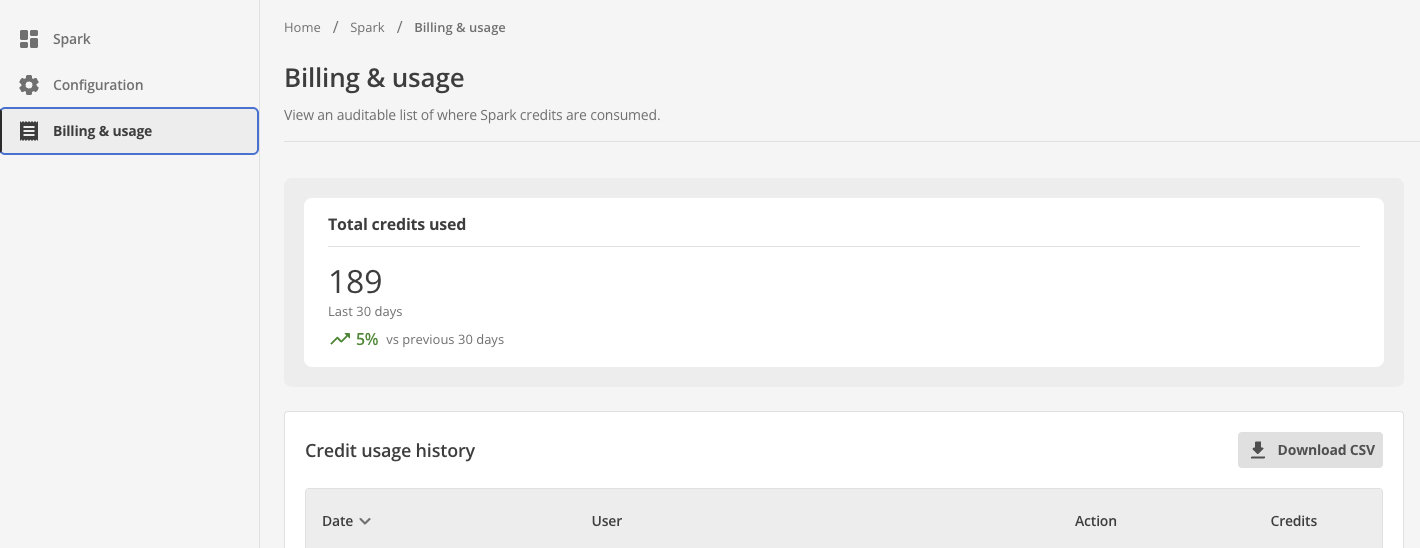
Figure 1. The Billing & usage page.
Field and chart reference
- Total credits used
-
Shows the credits used in the last 30 days and how they compare to the previous 30 days.
- Credit usage history
-
The table lists the date, user, action, and credits used.
- Download CSV
-
Export the credit usage history for use in external apps.
- Credit usage trend chart
-
Shows the daily credits used across your organization over the last 30 days.
- Credits by Spark Action chart
-
Shows the share of credits used by each Spark action, such as page creation.
- Credits by user chart
-
Shows the five users who used the most credits.
|
Only users with the Owner primary role can load credit usage data. |
Credit usage charts
The credit usage charts give you credit usage insights for your organization.
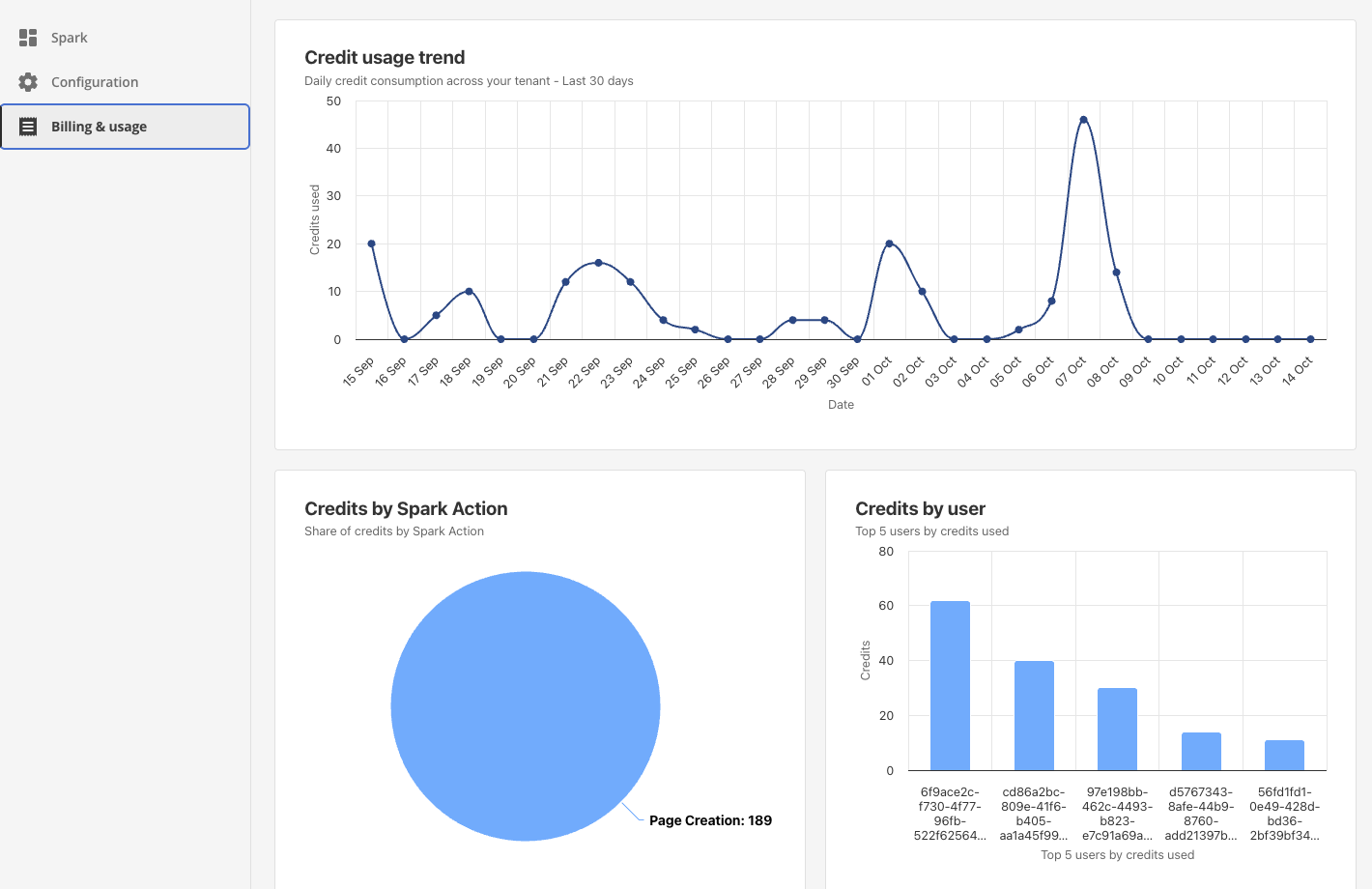
The Figure 2. Credit usage charts.
Next steps
Read Allocate Spark credits to users to allocate credits to individual users.