Instruction types provide Spark with intentional context about how to interpret a file you supply.
If you do not choose an option, Spark uses Default and does its best to work out how to use the file from your brief and the file contents.
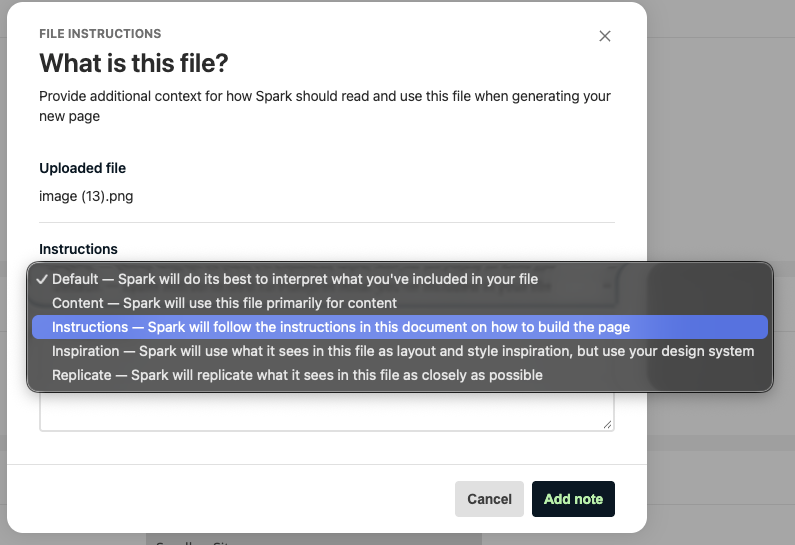
File instruction option reference
The following table describes each option.
| Option | Outcome |
|---|---|
Default | Spark interprets the file from its contents and your brief. |
Content | Spark uses the file primarily for the content of the page. |
Instructions | Spark follows the instructions in the document on how to build the page. |
Inspiration | Spark uses what it detects in the file as layout and style inspiration, but builds the page with your design system. Spark clears Upload images from this document to Matrix by default. |
Replicate | Spark replicates what it detects in the file as closely as possible. |
Example uses
- Upload a Word document of approved copy and choose Content.
- Upload a screenshot of an existing page and choose Replicate to rebuild the layout from your own components.
- Upload a mockup and choose Inspiration to take layout ideas without copying the design exactly.
- Upload a document of page-building rules and choose Instructions.