Page creation guidelines are instructions that you write once for your organization. Spark adds them to every page it creates, so that pages follow the same tone, voice, and structure without each author repeating those instructions in a brief.
Use guidelines for rules that apply to all pages, such as:
- The tone of voice and reading level of your content.
- How you structure sentences, headings, and calls to action.
- Terms your organization prefers or avoids.
Authors still describe the content of each page in their own brief. When a guideline conflicts with a brief, Spark follows the guideline.
Before you start
- Spark is turned on for your organization. See Turn Spark on or off.
- Your user account has the Owner primary role primary role. Users with the Admin or Developer primary role can read the guidelines on the Configuration screen but cannot edit them.
Write guidelines
- Sign in to Squiz DXP and select the Spark tile on the dashboard.
- Select Configuration, then select the Guidelines tab.
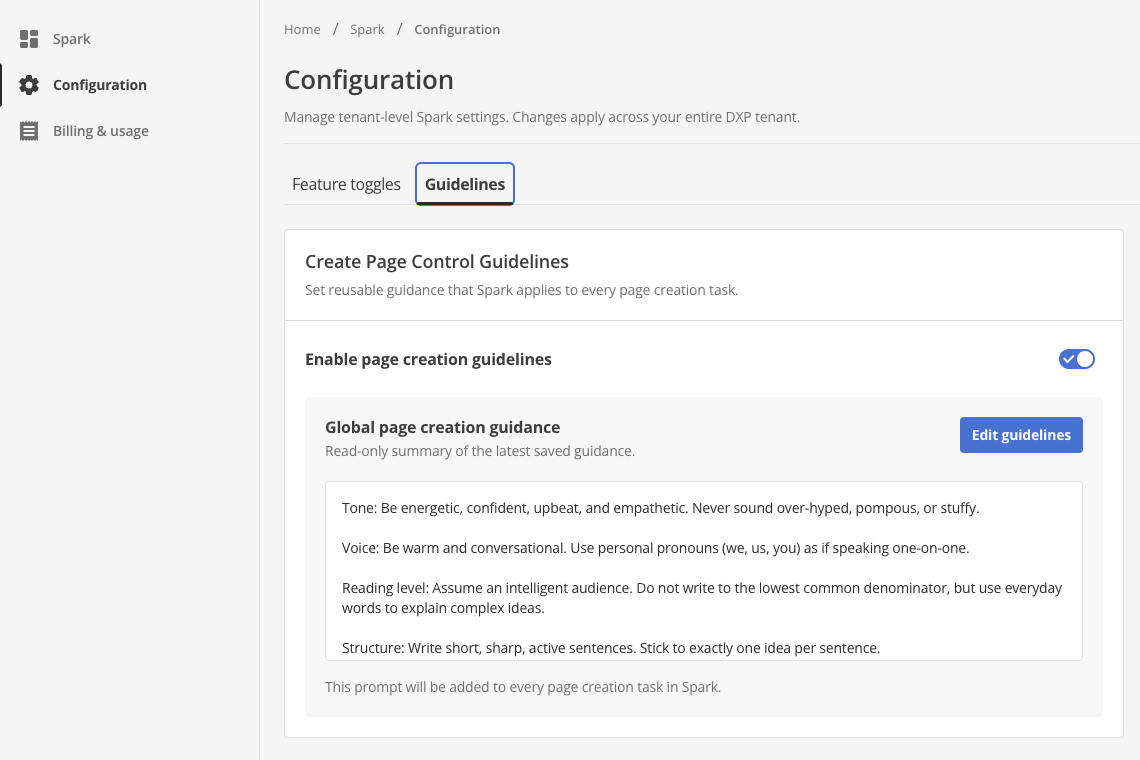 Figure 1. The Guidelines tab.
The Global page creation guidance section shows a read-only summary of the most recently saved guidelines.
- Select Edit guidelines.
- Enter your instructions in the Guidance field.
For example:
Tone: Be friendly, confident, and clear. Do not use jargon. Voice: Write in the second person ("you"). Reading level: Write for a general audience. Use everyday words. Structure: Use short sentences. Keep each sentence to one idea. - Select Save.
The dialog closes and the Global page creation guidance section shows your changes.
- Turn on Enable page creation guidelines.
Spark applies the guidelines to every page that users create after you save and enable them. Pages that Spark already created do not change.
Turn guidelines off
Turn off Enable page creation guidelines to stop Spark from applying them. Spark keeps your saved text so that you can turn the guidelines on again later.
What Spark checks before it saves guidelines
Guidelines can be up to 50,000 characters long. Spark also checks guidelines before it saves them. If a check finds a problem, Spark does not save your changes and describes each problem. Edit the guidance to remove the problem, then save again.
Spark rejects guidelines that contain any of the following:
- Passwords, keys, or other credentials.
- Personal information.
- Abusive language.
- Instructions that try to change how Spark works rather than how a page reads, for example instructions to ignore other rules.
- Instructions that conflict with each other.
How authors see guidelines
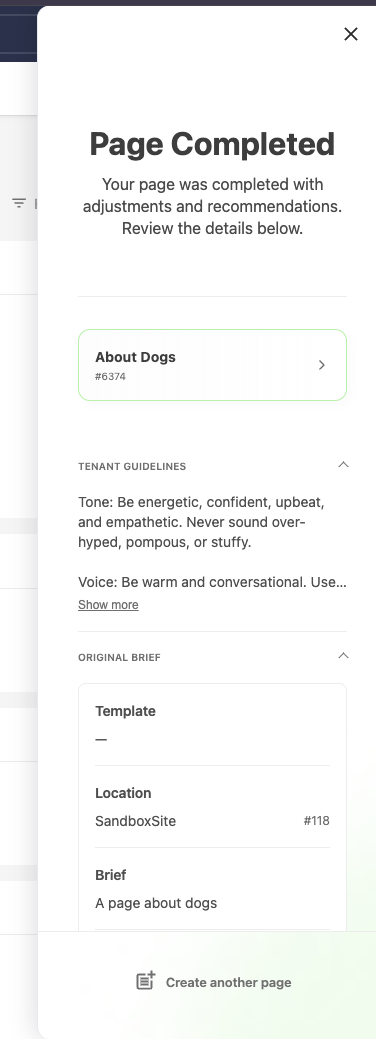
Authors can read the guidelines in the Spark panel. The Tenant guidelines section appears on the Ready to get building? screen and on the Page Completed screen.
Guidelines for writing guidelines
- Write short, specific instructions. For example, "Use sentence case for headings" is clearer than "Use good headings".
- Describe how pages read and are structured. Do not describe the content of a particular page.
- Review a few pages after you change the guidelines to check the result.
Next steps
Read Write a brief for Spark to help authors write briefs that work with your guidelines.